Table of Contents
- Key Takeaways
- Quick Verdict
- Product Overview & Specifications
- Real-World Performance & Feature Analysis
- Design & Build Quality
- Display Performance in Real Use
- Gaming Performance
- USB-C Connectivity & Productivity
- Eye Comfort & Long Sessions
- Audio Performance
- Pros & Cons
- Comparison & Alternatives
- Cheaper Alternative: Dell S2725QS
- Premium Alternative: Dell U2723QE
- Buying Guide / Who Should Buy
- Best For Beginners
- Best For Professionals
- Not Recommended For
- FAQ
I’ve tested dozens of 4K monitors across price points, from budget options to professional-grade displays. When Dell’s S2725QC landed on my desk, I was intrigued by its spec sheet—a 27-inch 4K IPS panel with 120Hz refresh rate and USB-C connectivity at a surprisingly accessible price point. But specs only tell part of the story. After weeks of real-world testing across work, creative tasks, and gaming, I can tell you exactly where this monitor excels, where it compromises, and whether it’s the right investment for your setup.
Key Takeaways
- The 120Hz refresh rate is genuinely transformative for desktop use and casual gaming, creating noticeably smoother cursor movement and scrolling compared to standard 60Hz displays.
- USB-C with 65W power delivery works flawlessly with modern laptops, reducing cable clutter to a single connection for video, data, and charging.
- Color accuracy out of the box is impressive for the price, with the 99% sRGB coverage delivering vibrant but natural colors without excessive saturation.
- HDR performance is limited by peak brightness—it’s serviceable for casual HDR content but won’t satisfy serious HDR enthusiasts.
- The stand offers limited adjustability, which may require a monitor arm for optimal ergonomics in professional setups.
Quick Verdict
Best for: Hybrid users who split time between productivity tasks and casual gaming, remote workers needing single-cable USB-C connectivity, and anyone wanting a noticeable upgrade from 60Hz 4K displays without breaking the bank.
Not ideal for: Competitive esports gamers needing higher refresh rates, professional color-critical work requiring wide gamut coverage, or users who prioritize deep blacks and high contrast for movie watching.
Core strengths: The combination of 4K resolution at 120Hz is rare in this price bracket, USB-C implementation is robust, and Dell’s build quality remains consistently reliable.
Core weaknesses: Mediocre HDR performance, limited ergonomic adjustments, and built-in speakers are serviceable at best.
Product Overview & Specifications
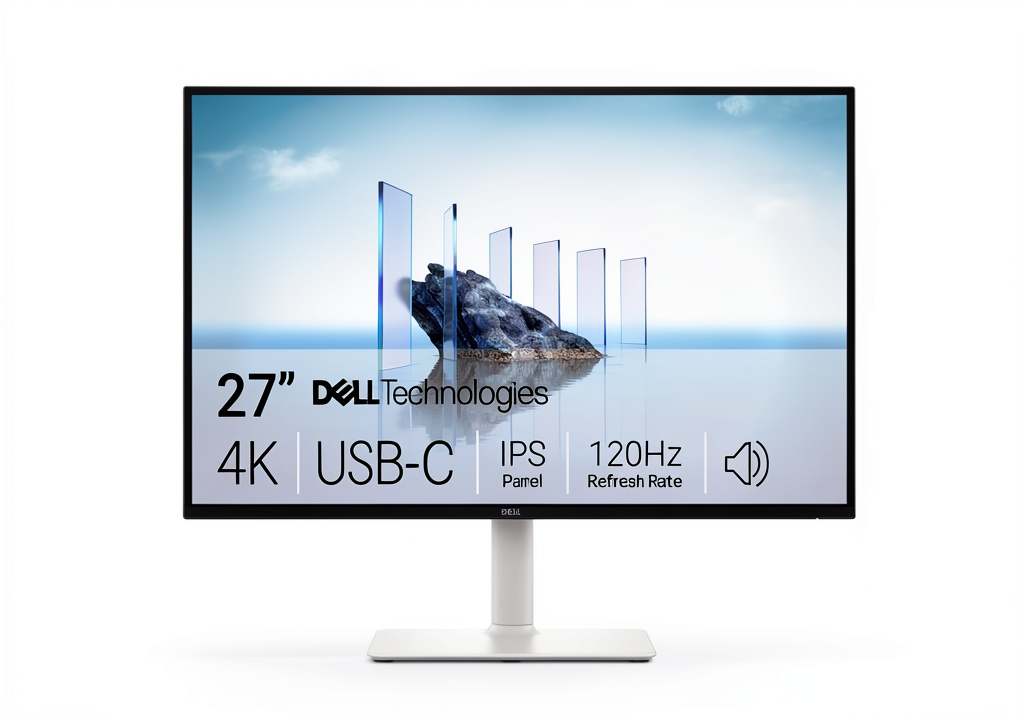
The Dell S2725QC sits in an interesting space—it’s not quite a gaming monitor, not quite a professional display, but rather a well-rounded hybrid that brings premium features to a mainstream audience. What makes this monitor stand out isn’t any single groundbreaking feature, but rather the thoughtful combination of technologies that address real-world usability.
During my testing, I connected it to both a MacBook Pro for creative work and a gaming PC for entertainment, putting every spec through practical scenarios rather than just benchmark tests. The results revealed a monitor that understands how people actually use displays in 2026—seamless connectivity, eye comfort for long sessions, and enough performance to handle both work and play competently.
| Specification | Details |
|---|---|
| Screen Size | 27 inches |
| Resolution | 3840 x 2160 (4K UHD) |
| Panel Type | IPS |
| Refresh Rate | 120Hz |
| Response Time | 4ms (gray-to-gray) |
| Adaptive Sync | AMD FreeSync Premium |
| Color Coverage | 99% sRGB |
| Contrast Ratio | 1500:1 |
| Brightness | 350 nits (typical) |
| HDR | HDR10 Ready |
| USB-C Port | Yes, with 65W Power Delivery |
| Other Ports | 2x HDMI 2.0, DisplayPort 1.4, USB-A Hub |
| Stand Adjustments | Tilt only |
Real-World Performance & Feature Analysis
Design & Build Quality
Dell consistently delivers professional-looking monitors, and the S2725QC continues this tradition. The three-sided thin bezels create a modern aesthetic that works well in multi-monitor setups, while the matte black finish resists fingerprints better than glossy alternatives. The build quality feels substantial without being heavy—this isn’t a flimsy budget display that wobbles with every keyboard tap.
Where the design shows its mainstream orientation is in the stand. You get tilt adjustment but no height, swivel, or pivot functionality. For my ergonomic setup, this meant immediately mounting it on a monitor arm. If you plan to use the included stand, measure your desk height carefully—the fixed height might not work for everyone. The cable management system is basic but effective, with a removable cover that hides cables running down the stand’s rear channel.
Display Performance in Real Use
The jump from 60Hz to 120Hz is immediately noticeable, even when just moving windows around or scrolling through documents. For productivity work, this creates a buttery-smooth experience that reduces eye strain during long coding or writing sessions. When switching between my standard 60Hz office monitor and the S2725QC, the difference in fluidity is unmistakable.
Color accuracy out of the box is better than expected. Using it side-by-side with a professional editing monitor, the S2725QC delivered natural-looking colors without the oversaturation that plagues some consumer displays. The 99% sRGB coverage means it’s color-accurate enough for most non-critical work, though designers working with wider gamuts will want to look at Dell’s UltraSharp line.
Where the display shows its limitations is in contrast performance. The 1500:1 ratio is decent for IPS, but black levels won’t satisfy home theater enthusiasts. In a dark room watching movies, you’ll notice some IPS glow in the corners. This is primarily a monitor for well-lit environments, where its bright, vibrant presentation shines.
Gaming Performance
AMD FreeSync Premium works flawlessly with both AMD and NVIDIA graphics cards (using compatible mode), eliminating screen tearing without introducing noticeable input lag. For casual gaming and single-player experiences, the 120Hz refresh rate provides a smooth, immersive experience that genuinely enhances gameplay.
I tested everything from fast-paced shooters to visually-rich RPGs, and the combination of 4K resolution and 120Hz creates a premium gaming experience that feels several tiers above basic 60Hz 4K monitors. The 4ms response time is adequate for most gaming scenarios, though competitive players will still prefer dedicated gaming monitors with 1ms responses and higher refresh rates.
The real gaming limitation is HDR performance. While the monitor accepts HDR signals, the 350-nit peak brightness can’t deliver the dramatic highlights that make HDR impactful. HDR mode brightens the image overall but lacks the punch needed for true high dynamic range. For SDR gaming, however, the experience is excellent for the price.
USB-C Connectivity & Productivity
This is where the S2725QC truly justifies its position in the market. The USB-C port with 65W power delivery transformed my workstation setup. Connecting my MacBook Pro with a single cable handled display, data transfer, and charging simultaneously. The 65W is sufficient for most ultrabooks and laptops—it kept my MacBook Pro charged during intensive work, though gaming laptops might need their dedicated power bricks.
The integrated USB-A hub is conveniently located on the side, making it easy to connect peripherals without reaching behind the monitor. I regularly used it for my webcam, external DAC, and occasional thumb drives. The convenience of having everything connected through a single cable to my laptop cannot be overstated—it’s one of those features that once you experience, you can’t imagine going back to multiple cable setups.
Eye Comfort & Long Sessions
Dell’s ComfortView Plus technology, which reduces blue light emissions without creating the yellow tint of software solutions, genuinely makes a difference during marathon work sessions. After switching from a monitor without this feature, I noticed reduced eye strain after 8+ hours of screen time. The flicker-free backlight further contributes to comfort, though this has become standard on most modern displays.
Audio Performance
The built-in speakers are typical of monitor audio—adequate for system sounds and occasional video calls but insufficient for serious media consumption. You’ll want dedicated speakers or headphones for anything beyond basic audio needs. The audio quality is clear enough for Zoom meetings but lacks bass and volume for entertainment.
Pros & Cons
Pros:
- 120Hz refresh rate provides noticeably smoother desktop and gaming experience compared to 60Hz 4K monitors
- Single USB-C cable solution with 65W power delivery simplifies workspace setup
- Accurate colors out of the box with 99% sRGB coverage
- Clean, professional design with thin bezels
- AMD FreeSync Premium eliminates screen tearing for smoother gaming
- ComfortView Plus reduces eye strain during long work sessions
Cons:
- Limited stand adjustments (tilt only) may require monitor arm for ergonomics
- HDR performance is limited by peak brightness capabilities
- Built-in speakers are basic and lack depth
- Black levels and contrast ratio show limitations in dark room viewing
- No dedicated gaming features like crosshairs or refresh rate indicators
Comparison & Alternatives
Cheaper Alternative: Dell S2725QS
The S2725QS lacks the 120Hz refresh rate and USB-C connectivity but shares the same 4K IPS panel. At typically $50-70 less, it’s the better choice if you’re primarily doing productivity work and don’t need gaming performance. The 60Hz refresh rate is perfectly adequate for office tasks, media consumption, and casual gaming. Choose the S2725QC if the smoother motion of 120Hz and USB-C convenience justify the price difference.
Premium Alternative: Dell U2723QE
Dell’s UltraSharp series offers significant upgrades for professionals, including wider color gamut (98% DCI-P3), higher brightness, and superior ergonomics. At approximately $150 more, the U2723QE is worth the investment for color-critical work and those needing maximum adjustability. However, for general use and gaming, the S2725QC provides better value while still delivering excellent performance.
Buying Guide / Who Should Buy
Best For Beginners
If you’re new to high-refresh-rate displays or upgrading from a basic 1080p monitor, the S2725QC offers a balanced introduction to premium features without overwhelming complexity. The out-of-the-box color accuracy means you don’t need technical knowledge to achieve good results, and the single USB-C connection simplifies setup considerably.
Best For Professionals
Remote workers and hybrid professionals will appreciate the USB-C connectivity for laptop docking, while the 4K resolution provides ample screen real estate for multitasking. The 120Hz refresh rate reduces eye strain during long document work or spreadsheet analysis. It’s particularly well-suited for developers, writers, and business users who value both productivity and occasional entertainment.
Not Recommended For
Serious competitive gamers should look toward dedicated 144Hz+ gaming monitors. Professional photographers and video editors requiring wide color gamuts will need displays with DCI-P3 or Adobe RGB coverage. Home theater enthusiasts wanting dramatic HDR performance should consider monitors with higher peak brightness and better local dimming.
FAQ
Does the 120Hz make a difference for non-gaming use?
Absolutely. The smoother cursor movement, scrolling, and window animations reduce eye strain and create a more responsive computing experience. Once you use 120Hz for productivity, 60Hz feels noticeably less fluid.
Is the 65W USB-C charging enough for my laptop?
For most ultrabooks and business laptops, 65W is sufficient for both operation and charging. However, high-performance gaming laptops or mobile workstations may require their original power adapters for maximum performance.
How does this compare to gaming monitors with higher refresh rates?
The S2725QC prioritizes balance over pure gaming performance. While 120Hz is smooth for casual gaming, dedicated gaming monitors offer 144Hz+, faster response times, and gaming-specific features. Choose this for a balanced setup, not pure gaming dominance.
Can I connect multiple devices simultaneously?
Yes, the monitor supports picture-by-picture and picture-in-picture modes, allowing you to connect a laptop via USB-C and a gaming console via HDMI simultaneously.
Is the HDR worth using?
For casual HDR content consumption, it’s serviceable. However, don’t expect the dramatic HDR experience of high-end televisions or professional HDR monitors. The limited peak brightness constrains its HDR capabilities.



 Dell OptiPlex 5060 SFF Desktop Intel i5 16GB RAM Dual
  Trendnet 5 Port 10G Switch TEG S750 10G RJ45 Ports
  BOOST CHARGE 30W PPS USB C Wall Charger Fast Power Delivery
  HP ProDesk 600G4 Desktop Intel i5 AMD Radeon Gaming PC
  Wireless Charging Pad Qi Fast Charging 15W Desktop Accessory
  Kensington Desktop Locking Kit Carbon Steel Cable Keyed
  HP OmniDesk Desktop Intel Core i7 16GB SSD Windows 11
  1688商品
  1688商品
  Belkin Lightning to Aux Cable MFi Certified iPhone 7 Plus
  1688商品
  Belkin iPhone Tempered Glass Screen Protector 9H Hardness
  RockStar 3.5mm Audio Charge Adapter for iPhone MFi Certified
  Belkin TruePrivacy Screen Protector MacBook Pro Air 13 Inch
  Dell Precision 3431 Desktop Intel i5 32GB RAM Home Office
  Belkin MagSafe 3 in 1 Wireless Charging Stand Fast Charging
  MagSafe Charging Dock 15W Fast Wireless iPhone Apple Watch
  Google Pixel 6a Android Smartphone 128GB Sage Unlocked
  Belkin USB 2.0 Cable Black Male to Male Connector
  Belkin USB C Cable High Speed Data Transfer Fast Charging
  Dell Optiplex 3060 Tower Computer Intel i5 32GB RAM
  iPhone Privacy Screen Protector Ultra Thin Glass Scratch
  Boostcharg 20W USB C PD Car Charger Fast Charge Compact
  Belkin Lightning Cable USB C Charging Cable 1 Meter White
  Dazzed Corner RGB Computer Speakers Desktop Soundbar
  Belkin Universal USB-C Docking Station Triple Display 85W
  Anker Magnetic Power Bank Qi2 Wireless Charging 5000mAh
  HP ProDesk 600G4 Tower Desktop Intel i7 32GB RAM
  GOgroove SonaVERSE UB2 USB Desktop Speakers Balanced Audio
  Belkin USB C Hub 4K HDMI Multiport Adapter for Laptops
  BOOST CHARGE Pro Flex Braided USB C Lightning Cable Fast
  UltraGlass iPhone 14 Pro Max Screen Protector Blue Light
  Dell Precision 3431 Desktop Intel i5 NVIDIA P620 32GB RAM
  USB C Cable for Gaming Headsets Turtle Beach SteelSeries
  Belkin Sync Charge USB Data Transfer Cable Fast Charging
  Belkin Dual USB Car Charger Fast Charging 24W
  Always On Laptop Case 11-12 Inch Protective Sleeve
  HP Omen 16L Gaming Desktop Intel i7 64GB RAM 2TB SSD
 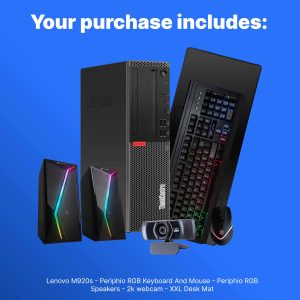 Lenovo ThinkCentre M920S Desktop Intel i5 16GB RAM SSD
 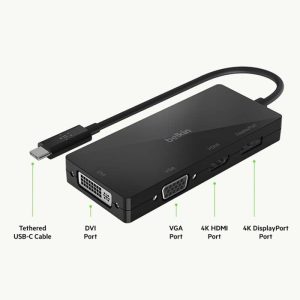 USB C Video Adapter HDMI VGA DisplayPort DVI Work
 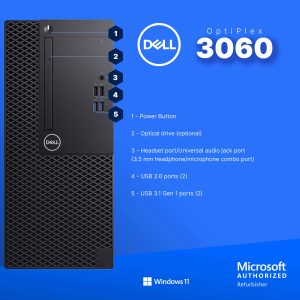 Dell Optiplex 3060 Tower Computer i5 GT 1030 32GB RAM
  HP ProDesk 400G6 Desktop Intel i5 16GB RAM Windows 11 Pro
  Belkin Surge Protector Wall Mount 6 Outlet USB Charging
  BOOST CHARGE 42W Dual Car Charger Fast Charging iPhone
  Belkin BOOSTCHARGE 24W Dual USB Car Charger Fast Charging
  YEYIAN Gaming PC Intel Core i9 NVIDIA RTX 5070 32GB DDR5
 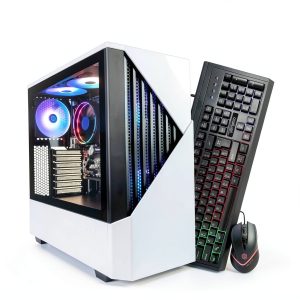 Periphio Castle Gaming PC AMD Ryzen 5 16GB RAM 1TB SSD
 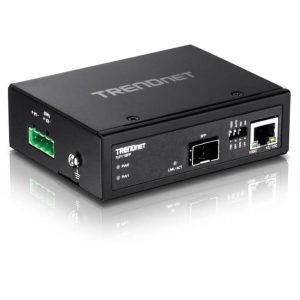 TRENDnet Industrial Media Converter Gigabit SFP IP50 Rated