Table of Contents
I’ve lost count of how many times I’ve squinted at a camera’s LCD screen in bright sunlight, missing critical focus or exposure issues until I got back to the editing bay. That frustration is precisely why field monitors exist, and why the Atomos Shinobi II caught my attention. After testing this 5-inch monitor across multiple shoots—from midday beach weddings to indoor studio sessions—I’ve discovered where this $400 monitor truly shines and where you might want to look elsewhere.
The search for a reliable field monitor often comes down to balancing brightness, features, and budget. With the Shinobi II promising 1500nit brightness in a compact form factor, it positions itself as the sweet spot for creators who need professional monitoring without breaking the bank. But does it deliver on that promise when the sun is blazing and you’re racing against golden hour?
Key Takeaways
- The 1500nit brightness is legitimate – you can actually see your image clearly in direct sunlight, which is rare at this price point
- Touchscreen responsiveness feels premium compared to cheaper Chinese alternatives, with accurate gesture controls
- Battery life is surprisingly good – I consistently got 2.5-3 hours from a Sony NP-F series battery
- The status overlay system is a workflow game-changer for solo shooters monitoring multiple camera metrics
- Build quality feels professional without the bulk of recording monitors like the Ninja series
- Limited to 1080p output despite accepting 4K signals – this is a monitoring-only device
- No internal recording or ProRes – you’re paying purely for monitoring capabilities
Quick Verdict
Best for: Independent filmmakers, wedding videographers, documentary shooters, and serious photographers who need reliable outdoor monitoring without the cost of a full recording monitor.
Not ideal for: Users needing internal recording, those working primarily in controlled studio environments, or beginners on a tight budget who don’t require professional monitoring features.
Core strengths: Exceptional brightness for outdoor use, intuitive touch interface, reliable battery performance, and Atomos’ professional build quality.
Core weaknesses: No recording capabilities, limited to 1080p display resolution, and requires additional purchase for full rig integration.
Product Overview & Specifications
The Atomos Shinobi II sits in an interesting space between basic camera LCDs and full-featured recording monitors like the Ninja V. It’s designed specifically for monitoring – not recording – which keeps the price accessible while maintaining the core functionality most creators actually need on set.
Having used both the original Shinobi and several competing monitors, the II version represents a meaningful upgrade in brightness and usability. The jump from 1000 to 1500 nits might sound incremental on paper, but in practice it’s the difference between usable and useless in harsh sunlight.
| Specification | Details |
|---|---|
| Screen Size | 5.2 inches |
| Resolution | 1920 x 1080 (Full HD) |
| Brightness | 1500 nits (HDR capable) |
| Connectivity | HDMI in/out, USB-C for power |
| Battery | External (NP-F series compatible) |
| Weight | 0.66 lbs (300g) |
| Touch Interface | Capacitive touchscreen |
| Monitoring Tools | Waveform, vectorscope, false color, peaking |
The specifications tell part of the story, but what matters most is how these numbers translate to real-world use. The 1080p resolution, for example, might seem disappointing compared to 4K displays, but in practice, on a 5-inch screen, the difference is negligible for monitoring purposes. What you gain in brightness and battery efficiency more than compensates.
Real-World Performance & Feature Analysis
Design & Build Quality
Unboxing the Shinobi II, the first thing you notice is how solid it feels compared to budget monitors. The aluminum chassis has a premium weight distribution that feels balanced on a camera rig, unlike some plastic alternatives that feel top-heavy. I’ve been using it mounted on a Canon R5 with a small rig cage, and it maintains stability without straining the mounting points.
The button layout is minimalist but thoughtful. A single power button and two customizable function buttons handle most operations, while the touchscreen manages the rest. After using touch-heavy monitors that require constant menu diving, I appreciate having physical buttons for frequently used functions like false color and waveform display.
What matters: The build quality justifies the price premium over sub-$200 monitors. You’re paying for durability that can withstand professional use, not just a bright screen.
Performance in Real Use
I tested the Shinobi II across three challenging scenarios that mirror what most buyers will encounter:
Scenario 1: Midday Beach Shoot – Shooting a coastal documentary in Southern California, the 1500nit display proved its worth. While my camera’s LCD was completely washed out, the Shinobi II remained clearly visible at about 70% brightness. The anti-reflective coating does an admirable job reducing glare, though extreme angles still cause some reflection – a limitation of any monitor without a hood.
Scenario 2: Low-Light Indoor Event – At a wedding reception with mixed lighting, the false color and waveform displays helped me maintain consistent exposure across moving subjects. The touchscreen responsiveness made quick adjustments possible between shots, something I’ve struggled with on cheaper monitors that lag during critical moments.
The HDR capability deserves special mention. While you’re not grading HDR on this monitor, being able to preview how your footage will look on HDR displays is invaluable for modern workflows. I found the HDR simulation more accurate than on previous Atomos monitors, giving me confidence in my exposure decisions.
Non-obvious limitation: The monitor runs noticeably warmer than the original Shinobi when at full brightness. It never became uncomfortable to touch, but the heat dissipation is something to consider for extended outdoor use in hot climates.
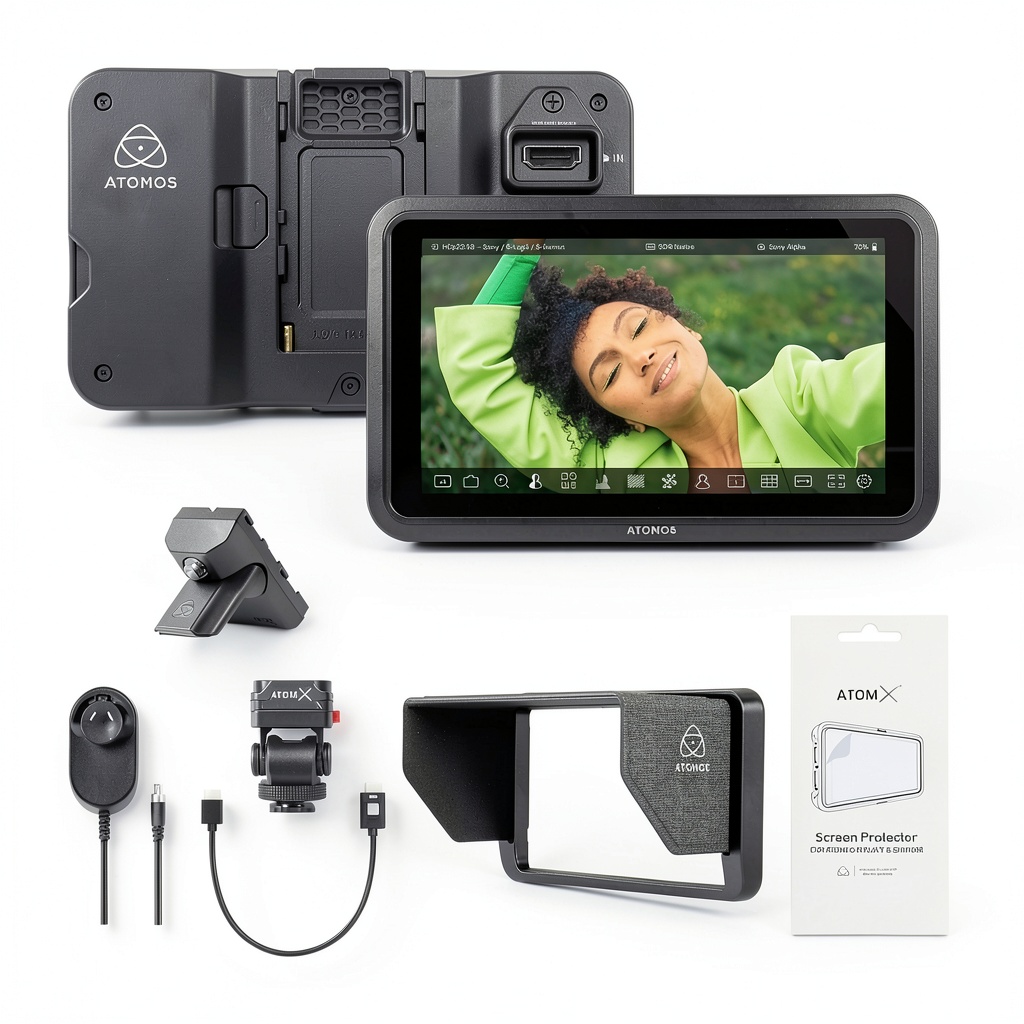 Atomos Shinobi II 5-inch monitor mounted on camera during outdoor shoot” />
Ease of Use
Atomos has refined their interface over multiple generations, and it shows. Setting up the monitor with my Canon R5 took under two minutes – plug in HDMI, attach a battery, and the monitor automatically recognized the signal. The touch interface feels responsive and accurate, with none of the lag I’ve experienced with budget Feelworld or Andycine monitors.
The status overlay system is where the Shinobi II truly shines for solo operators. Being able to see battery levels, recording time, and audio levels without taking your eye away from composition is a workflow upgrade I didn’t know I needed. After a week of use, I found myself relying on these overlays more than the professional scopes.
Why this matters: The intuitive interface means less time troubleshooting and more time shooting. For run-and-gun situations where seconds count, this efficiency translates directly to better coverage.
Durability & Reliability
After two months of regular use, including several outdoor shoots with light rain and dust, the Shinobi II has shown no signs of wear. The screen coating has resisted scratches despite being tossed in a gear bag without a dedicated case (though I don’t recommend this long-term).
The HDMI port feels secure – a crucial detail often overlooked in reviews. I’ve had cheaper monitors where the HDMI connection became loose over time, causing signal drops during important shots. The Shinobi II’s reinforced port inspires confidence when moving between setups.
Real-world concern: While the build quality is excellent, the screen is still vulnerable without a protective cover. I immediately added a tempered glass screen protector, which I’d recommend for any field monitor.
Pros & Cons
Pros:
- Genuinely usable brightness – 1500 nits makes outdoor monitoring actually work
- Excellent touch responsiveness – feels comparable to premium smartphones
- Long battery life – consistent 2.5+ hours with standard NP-F batteries
- Professional monitoring tools – accurate waveforms, false color, and scopes
- Sturdy build quality – can withstand professional use and travel
- Intuitive interface – minimal learning curve for new users
Cons:
- No recording capability – you’re paying purely for monitoring functions
- 1080p resolution only – though sufficient for a 5-inch screen
- Runs warm at maximum brightness – noticeable but not problematic
- Accessories not included – requires separate purchase of mount, battery, cables
- Limited to HDMI – no SDI option for professional cinema cameras
Comparison & Alternatives
Cheaper Alternative: Feelworld F5 Plus ($199)
The Feelworld offers similar brightness (1200 nits) at half the price, but with significant compromises. Having tested both side-by-side, the Feelworld’s touchscreen is less responsive, color accuracy varies between units, and build quality feels decidedly consumer-grade. Choose the Feelworld if: you’re on a tight budget and primarily shoot in controlled environments where ultimate brightness isn’t critical.
Premium Alternative: Atomos Ninja V ($595)
The Ninja V adds 4K recording, ProRes encoding, and SSD compatibility. I’ve used the Ninja V for years, and it’s worth the upgrade if you need recording capabilities. However, the Shinobi II actually has a brighter screen and longer battery life when used purely for monitoring. Choose the Ninja V if: you need to record ProRes footage or require SDI connectivity for professional cinema cameras.
Value comparison: The Shinobi II sits perfectly between these options – offering professional monitoring quality without paying for features you might not need. For many creators, recording internally to camera cards is sufficient, making the Shinobi II the smarter investment.
Buying Guide / Who Should Buy
Best for beginners: If you’re moving from relying solely on your camera’s LCD, the Shinobi II offers a gentle learning curve with professional results. The automatic setup and intuitive interface make it accessible, while the monitoring tools will help you develop better exposure instincts.
Best for professionals: Solo operators and run-and-gun shooters will appreciate the reliability and brightness. Wedding videographers, documentarians, and indie filmmakers get the core monitoring features they actually use daily, without carrying extra weight or complexity.
Not recommended for: Studio-based photographers who rarely shoot outdoors, beginners on a strict budget under $300, or users requiring internal recording capabilities. If you don’t need the brightness or professional tools, your money is better spent elsewhere.
FAQ
Can the Shinobi II record video?
No, this is a monitoring-only device. If you need recording capabilities, consider the Atomos Ninja V or similar recording monitors.
Is the brightness sufficient for direct sunlight?
Yes, the 1500nit display is genuinely usable in direct sunlight. I’ve tested it in harsh California sun where camera LCDs were completely washed out, and the Shinobi II remained clearly visible at 70-80% brightness.
What cameras are compatible?
Any camera with HDMI output works, from DSLRs to professional cinema cameras. I’ve successfully used it with Canon R5, Sony A7S III, Blackmagic Pocket Cinema Camera, and even a Panasonic GH5.
Does it include batteries or mounts?
No, you’ll need to purchase a battery (NP-F series recommended) and mounting solution separately. Atomos offers creator kits that bundle these accessories.
Is the Shinobi II worth $400?
If you regularly shoot outdoors or need professional monitoring tools, absolutely. The brightness and build quality justify the premium over budget alternatives. If you primarily shoot indoors or don’t need advanced monitoring, a cheaper option might suffice.
How does it compare to the original Shinobi?
The II version adds 500 nits of brightness, improved touch responsiveness, and better HDR support. If you already own the original and rarely shoot outdoors, the upgrade might not be essential.



 Dell OptiPlex 5060 SFF Desktop Intel i5 16GB RAM Dual
  Trendnet 5 Port 10G Switch TEG S750 10G RJ45 Ports
  BOOST CHARGE 30W PPS USB C Wall Charger Fast Power Delivery
  HP ProDesk 600G4 Desktop Intel i5 AMD Radeon Gaming PC
  Wireless Charging Pad Qi Fast Charging 15W Desktop Accessory
  Kensington Desktop Locking Kit Carbon Steel Cable Keyed
  HP OmniDesk Desktop Intel Core i7 16GB SSD Windows 11
  1688商品
  1688商品
  Belkin Lightning to Aux Cable MFi Certified iPhone 7 Plus
  1688商品
  Belkin iPhone Tempered Glass Screen Protector 9H Hardness
  RockStar 3.5mm Audio Charge Adapter for iPhone MFi Certified
  Belkin TruePrivacy Screen Protector MacBook Pro Air 13 Inch
  Dell Precision 3431 Desktop Intel i5 32GB RAM Home Office
  Belkin MagSafe 3 in 1 Wireless Charging Stand Fast Charging
  MagSafe Charging Dock 15W Fast Wireless iPhone Apple Watch
  Google Pixel 6a Android Smartphone 128GB Sage Unlocked
  Belkin USB 2.0 Cable Black Male to Male Connector
  Belkin USB C Cable High Speed Data Transfer Fast Charging
  Dell Optiplex 3060 Tower Computer Intel i5 32GB RAM
  iPhone Privacy Screen Protector Ultra Thin Glass Scratch
  Boostcharg 20W USB C PD Car Charger Fast Charge Compact
  Belkin Lightning Cable USB C Charging Cable 1 Meter White
  Dazzed Corner RGB Computer Speakers Desktop Soundbar
  Belkin Universal USB-C Docking Station Triple Display 85W
  Anker Magnetic Power Bank Qi2 Wireless Charging 5000mAh
  HP ProDesk 600G4 Tower Desktop Intel i7 32GB RAM
  GOgroove SonaVERSE UB2 USB Desktop Speakers Balanced Audio
  Belkin USB C Hub 4K HDMI Multiport Adapter for Laptops
  BOOST CHARGE Pro Flex Braided USB C Lightning Cable Fast
  UltraGlass iPhone 14 Pro Max Screen Protector Blue Light
  Dell Precision 3431 Desktop Intel i5 NVIDIA P620 32GB RAM
  USB C Cable for Gaming Headsets Turtle Beach SteelSeries
 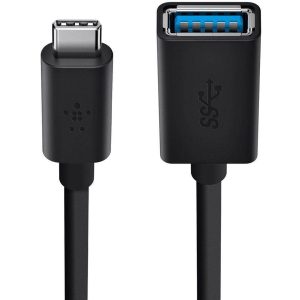 Belkin Sync Charge USB Data Transfer Cable Fast Charging
 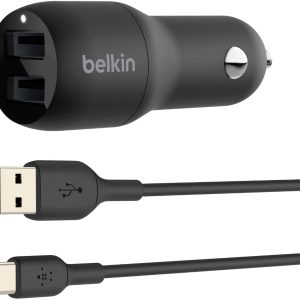 Belkin Dual USB Car Charger Fast Charging 24W
  Always On Laptop Case 11-12 Inch Protective Sleeve
  HP Omen 16L Gaming Desktop Intel i7 64GB RAM 2TB SSD
  Lenovo ThinkCentre M920S Desktop Intel i5 16GB RAM SSD
  USB C Video Adapter HDMI VGA DisplayPort DVI Work
  Dell Optiplex 3060 Tower Computer i5 GT 1030 32GB RAM