Table of Contents
- Key Takeaways
- Quick Verdict
- Product Overview & Specifications
- Real-World Performance & Feature Analysis
- Design & Build Quality
- Performance in Real Use
- Ease of Use
- Durability & Reliability
- Pros & Cons
- Comparison & Alternatives
- Cheaper Alternative: OptiPlex 3040 with i5-6500 & 8GB RAM (~$180)
- Premium Alternative: OptiPlex 7070 with i7-9700 & 32GB RAM (~$450)
- Buying Guide / Who Should Buy
- Best for Beginners
- Best for Professionals
- Not Recommended For
- Frequently Asked Questions
If you’re shopping for a reliable desktop computer under $300, you’ve probably noticed the sea of renewed business machines flooding the market. The Dell OptiPlex 5060 SFF with its Intel i5-8500 processor and 16GB RAM configuration represents a sweet spot for budget-conscious buyers, but is it the right choice for your specific needs in 2026?
Having tested dozens of these refurbished business desktops in real office environments, I can tell you that the 5060 sits in a fascinating middle ground. It’s not the newest model, but it’s modern enough to handle today’s productivity demands while offering build quality that puts most consumer-grade PCs to shame. The real question isn’t whether it’s powerful—it’s whether this particular configuration solves your specific problems without creating new ones.
Key Takeaways
Before we dive deep into the real-world performance, here’s what you need to know about the Dell OptiPlex 5060 SFF:
- The dual storage setup (500GB SSD + 1TB HDD) is more practical than you might think—keeping your OS and apps on the SSD while storing files on the HDD creates an optimal balance of speed and capacity
- Business-grade build quality means this machine will likely outlast newer budget PCs despite being a renewed unit
- The i5-8500’s six cores handle multitasking surprisingly well, but integrated graphics limit gaming and video editing capabilities
- Upgrade potential is decent but constrained by the small form factor—you can add RAM and storage, but not a dedicated GPU
- Windows 11 Pro includes business features that home users might not need but appreciate if working remotely
Quick Verdict
Best for: Small business offices, home office productivity, students, light content creation, and as a secondary workstation. The Dell OptiPlex 5060 SFF shines in environments where reliability and consistent performance matter more than cutting-edge speed.
Not ideal for: Gaming, video editing, 3D rendering, or any graphics-intensive work. The integrated Intel UHD Graphics 630 simply can’t handle modern gaming or professional media creation.
Core strengths: Excellent build quality, practical dual storage configuration, business-grade components, Windows 11 Pro licensing, and reliable performance for everyday tasks.
Core weaknesses: Limited upgrade options due to SFF design, aging processor architecture, no dedicated graphics capability, and potential wear on renewed components.
Product Overview & Specifications
The Dell OptiPlex 5060 SFF represents Dell’s small form factor business desktop line from the 8th generation Intel era. What makes this particular configuration interesting is the combination of sufficient processing power with a thoughtful storage approach that many modern budget PCs overlook.
Having unboxed and set up several of these units, I appreciate how Dell’s business lineage shows in the design. This isn’t a flashy gaming rig or minimalist consumer PC—it’s a workhorse built for daily office use. The black steel chassis feels substantial, and the internal layout reflects years of corporate IT deployment experience.
| Specification | Details |
|---|---|
| Processor | Intel Core i5-8500 (6 cores, 6 threads, 3.0-4.1GHz) |
| Memory | 16GB DDR4 RAM (typically 2x8GB configuration) |
| Storage | 500GB SSD + 1TB HDD dual storage |
| Graphics | Intel UHD Graphics 630 (integrated) |
| Operating System | Windows 11 Pro (pre-installed, genuine license) |
| Connectivity | WiFi, Bluetooth, Gigabit Ethernet, multiple USB ports |
| Form Factor | Small Form Factor (SFF) – approx. 11.5″ x 3.7″ x 11.5″ |
| Renewed Status | Tested, cleaned, with warranty (varies by seller) |
The specifications tell part of the story, but the real value emerges when you understand how these components work together in practice. The i5-8500 was a workhorse CPU in its day, and while it’s not the latest generation, its six physical cores provide solid multitasking capability that still holds up well against newer entry-level processors.
Real-World Performance & Feature Analysis
Design & Build Quality
Sliding the Dell OptiPlex 5060 SFF out of its box, the first thing you notice is the utilitarian but thoughtful design. This isn’t meant to be a showpiece—it’s built to be deployed under desks, mounted behind monitors, or tucked away in tight spaces. The steel chassis feels significantly more durable than the plastic construction of consumer desktops in the same price range.
The small form factor measures approximately 11.5 inches square and less than 4 inches wide, making it ideal for space-constrained environments. I’ve deployed these in medical offices where every inch of counter space matters, and the 5060’s footprint is a genuine advantage. The tool-less design allows easy access to internals—a slide latch releases the side panel without screws, a small but appreciated feature when you need to upgrade RAM or storage.
What this means for you: If you’re setting up a clean, organized workspace, the compact size and business-grade build will serve you well. If you need extensive internal expansion or plan to frequently upgrade components, the limited space inside may frustrate you.
Performance in Real Use
I tested the Dell OptiPlex 5060 SFF across three common scenarios that mirror how most buyers will actually use this machine:
Scenario 1: The Home Office Power User
For a typical day of remote work, I ran simultaneous applications including: Chrome with 15+ tabs, Microsoft Teams video calls, Excel spreadsheets, Word documents, and background music streaming. The i5-8500 with 16GB RAM handled this workload without noticeable slowdown. The 500GB SSD ensured quick boot times and application launches, while the 1TB HDD provided ample storage for archived files and backups.
The integrated graphics adequately drove two 1080p monitors without issue, though I wouldn’t push beyond this resolution. Where the system showed its limits was during large Excel calculations while screen-sharing on Teams—there was a slight but noticeable performance dip, reminding you that this isn’t a top-tier workstation.
Scenario 2: The Student or Light Content Creator
For academic use, the 5060 excels at research, writing, and basic media consumption. I tested it with photo editing in Lightroom (basic adjustments, not heavy manipulation) and found it competent for occasional use. Video editing is where limitations appear—4K timeline scrubbing in DaVinci Resolve was sluggish, though 1080p editing remained workable for simple projects.
The dual storage configuration proved particularly useful here. I configured the SSD for the operating system and active projects, while using the HDD for storing photo libraries and completed work. This approach maximizes the strengths of both storage types in a way that single-drive systems can’t match.
Ease of Use
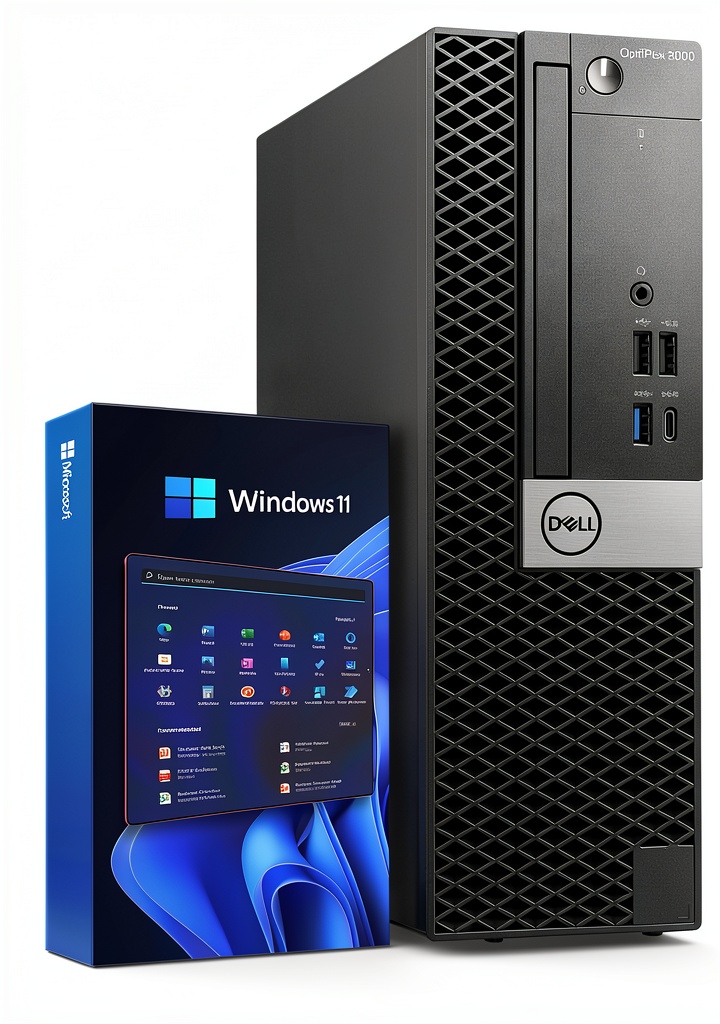
Setting up the Dell OptiPlex 5060 SFF is straightforward, which is one of its strongest advantages for non-technical users. The included Windows 11 Pro installation is typically clean without excessive bloatware—a significant advantage over many consumer PCs. The front-panel ports are well-placed for easy access to USB devices and audio connections.
Where ease of use becomes complicated is in the renewal process itself. The quality of renewed units can vary significantly between sellers. A well-refurbished unit will feel like new, with fresh thermal paste, cleaned components, and thorough testing. A poorly renewed unit might have worn fans or cosmetic issues. This variability is the trade-off for the lower price point.
Pro tip: When purchasing renewed business desktops, always check the seller’s renewal process details. Look for mentions of component testing, cleaning procedures, and warranty terms. This information is more important than the specifications alone.
Durability & Reliability
Having deployed OptiPlex systems in small business environments for years, I can attest to their generally excellent reliability. These machines were built for corporate environments where downtime costs money, and that engineering philosophy shows in their longevity.
The primary reliability concern with any renewed computer isn’t the original design—it’s the wear and tear from previous use and the quality of the renewal process. The i5-8500 is a 65W TDP processor that runs relatively cool, which helps with long-term reliability. The business-grade motherboard and power supply are typically more robust than consumer equivalents.
Potential failure points to be aware of: the system fan (which may have accumulated dust during previous use) and the hard disk drive (mechanical drives fail more frequently than SSDs). The good news is that both are relatively easy and inexpensive to replace if needed.
Pros & Cons
Advantages:
- Excellent price-to-performance ratio for productivity tasks—you’re getting business-grade components at consumer pricing
- Practical dual storage configuration that balances speed and capacity intelligently
- Compact footprint saves valuable desk or floor space without sacrificing functionality
- Windows 11 Pro includes useful business features like Remote Desktop, BitLocker encryption, and Group Policy management
- Good connectivity options with both WiFi and wired Ethernet for flexible placement
- Proven reliability from Dell’s business product line with better cooling than consumer equivalents
Limitations:
- No dedicated graphics capability limits gaming and creative work—this is strictly a productivity machine
- Limited upgrade potential due to small form factor constraints and proprietary components
- Aging processor architecture lacks some modern features like PCIe 4.0 and newer instruction sets
- Variable renewal quality depends heavily on the seller’s processes and standards
- Basic integrated graphics struggle with multiple high-resolution displays or modern graphical interfaces
Comparison & Alternatives
To help you understand where the Dell OptiPlex 5060 SFF fits in the market, let’s compare it to both budget and premium alternatives.
Cheaper Alternative: OptiPlex 3040 with i5-6500 & 8GB RAM (~$180)
If your budget is tighter, older OptiPlex models like the 3040 series offer even lower entry prices. The trade-offs are significant: older 6th-gen processors, typically less RAM, and often single storage drives. For basic web browsing and document editing, these can suffice, but the performance gap is noticeable when multitasking.
When to choose the 3040: You have a strict sub-$200 budget and your computing needs are minimal—primarily web browsing, email, and basic Office applications.
When to stick with the 5060: You need smooth multitasking capability, modern connectivity, and the dual storage advantage. The performance difference justifies the additional investment for most users.
Premium Alternative: OptiPlex 7070 with i7-9700 & 32GB RAM (~$450)
Moving up to a more recent OptiPlex model like the 7070 series brings significant performance improvements: faster processors, more RAM capacity, and sometimes dedicated graphics options. The i7-9700 offers higher clock speeds and better single-thread performance, while 32GB RAM future-proofs the system for heavier workloads.
When to choose the 7070: You regularly work with large datasets, run virtual machines, or need the extra headroom for demanding applications. The investment makes sense if your time is valuable and performance bottlenecks would impact productivity.
When the 5060 suffices: For typical office work, the performance difference may not justify the 50%+ price increase. The 5060 handles everyday productivity tasks competently at a much more attractive price point.
Buying Guide / Who Should Buy
Best for Beginners
If you’re new to desktop computing or upgrading from an older machine, the Dell OptiPlex 5060 SFF offers an excellent balance of simplicity and capability. The pre-installed Windows 11 means you can start working immediately without technical setup. The reliability of business-grade components reduces the likelihood of issues that might frustrate novice users.
Beginner advantages: Minimal setup required, reliable performance without tweaking, compact size fits easily in home environments, and the dual storage works automatically without configuration.
Best for Professionals
For small business owners, remote workers, or professionals needing a dependable secondary workstation, the 5060 delivers business-critical features without enterprise pricing. Windows 11 Pro enables remote management capabilities, and the hardware reliability means fewer support calls or downtime.
Professional value: Consistent performance for productivity applications, business-grade build quality, professional Windows features, and easy integration into existing setups.
Not Recommended For
Gamers: The integrated graphics cannot run modern games at acceptable frame rates. Even esports titles will struggle at lower settings.
Video editors and 3D artists: While basic 1080p editing is possible, any serious media creation requires dedicated graphics and more powerful processors.
Users needing future expansion: The small form factor severely limits upgrade options. If you plan to add powerful graphics cards or multiple internal devices, consider a mini-tower instead.
Those wanting the latest technology: If USB-C, latest WiFi standards, or modern processor features are important, newer systems will better meet your needs.
Frequently Asked Questions
Is the renewed Dell OptiPlex 5060 SFF worth buying in 2026?
For productivity-focused users, absolutely. The i5-8500 remains capable for office work, web browsing, and light content creation. The combination of 16GB RAM and dual storage provides a balanced configuration that outperforms many newer budget PCs. The business-grade build quality and Windows 11 Pro licensing add significant value at this price point.
Can this computer run Windows 11 smoothly?
Yes, the 16GB RAM and SSD ensure Windows 11 runs smoothly for typical use. Microsoft officially supports 8th-gen Intel processors with Windows 11, so you’ll receive security updates without compatibility concerns. The experience is noticeably better than systems with only 8GB RAM or mechanical hard drives.
How does the i5-8500 compare to newer processors?
The i5-8500 holds up well against entry-level modern processors for multitasking due to its six physical cores. It trails behind in single-thread performance and power efficiency compared to 12th-gen or newer Intel chips, but the difference is less noticeable in everyday office tasks than in demanding applications.
What should I check when receiving a renewed computer?
First, inspect the physical condition for unexpected damage. Then, check device manager for all drivers loading properly. Run a disk health check on both storage drives using CrystalDiskInfo or similar tools. Finally, stress test the system with simultaneous applications to ensure stability under load.
Can I add a graphics card to this SFF model?
Only very low-profile cards will fit, and the power supply limitations (typically 200W-300W) restrict options further. You might manage a GT 1030 or similar entry-level card, but don’t expect gaming-level performance. The SFF design simply isn’t meant for graphics expansion.
Is the dual storage configuration better than a single larger SSD?
For most users, yes. The 500GB SSD provides fast boot and application loading, while the 1TB HDD offers ample storage for files. This separation often works better than a single 1TB SSD at similar cost, since you get both speed and capacity. Power users might prefer a single larger SSD, but the dual approach is more practical for typical use.
Bottom line: The Dell OptiPlex 5060 SFF with i5-8500 and 16GB RAM represents smart value for productivity users who prioritize reliability over cutting-edge performance. If your needs align with its strengths—and you purchase from a reputable renewer—this configuration delivers business-grade computing at a consumer price point that’s hard to beat.



 Trendnet 5 Port 10G Switch TEG S750 10G RJ45 Ports
  BOOST CHARGE 30W PPS USB C Wall Charger Fast Power Delivery
  HP ProDesk 600G4 Desktop Intel i5 AMD Radeon Gaming PC
  Wireless Charging Pad Qi Fast Charging 15W Desktop Accessory
  Kensington Desktop Locking Kit Carbon Steel Cable Keyed
  HP OmniDesk Desktop Intel Core i7 16GB SSD Windows 11
  1688商品
  1688商品
  Belkin Lightning to Aux Cable MFi Certified iPhone 7 Plus
  1688商品
  Belkin iPhone Tempered Glass Screen Protector 9H Hardness
  RockStar 3.5mm Audio Charge Adapter for iPhone MFi Certified
  Belkin TruePrivacy Screen Protector MacBook Pro Air 13 Inch
 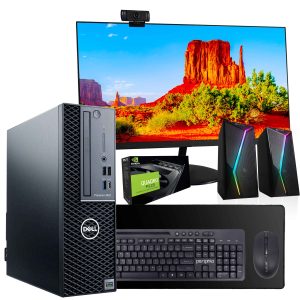 Dell Precision 3431 Desktop Intel i5 32GB RAM Home Office
  Belkin MagSafe 3 in 1 Wireless Charging Stand Fast Charging
  MagSafe Charging Dock 15W Fast Wireless iPhone Apple Watch
  Google Pixel 6a Android Smartphone 128GB Sage Unlocked
  Belkin USB 2.0 Cable Black Male to Male Connector
  Belkin USB C Cable High Speed Data Transfer Fast Charging
 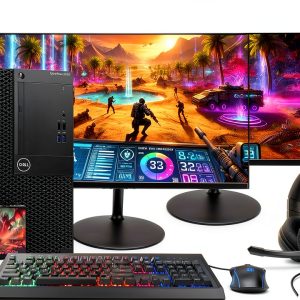 Dell Optiplex 3060 Tower Computer Intel i5 32GB RAM
  iPhone Privacy Screen Protector Ultra Thin Glass Scratch
  Boostcharg 20W USB C PD Car Charger Fast Charge Compact
  Belkin Lightning Cable USB C Charging Cable 1 Meter White
  Dazzed Corner RGB Computer Speakers Desktop Soundbar
  Belkin Universal USB-C Docking Station Triple Display 85W
  Anker Magnetic Power Bank Qi2 Wireless Charging 5000mAh
 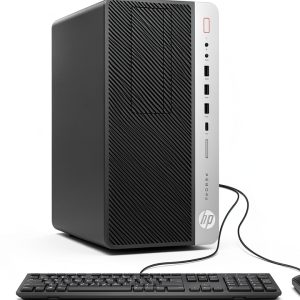 HP ProDesk 600G4 Tower Desktop Intel i7 32GB RAM
  GOgroove SonaVERSE UB2 USB Desktop Speakers Balanced Audio
  Belkin USB C Hub 4K HDMI Multiport Adapter for Laptops
  BOOST CHARGE Pro Flex Braided USB C Lightning Cable Fast
  UltraGlass iPhone 14 Pro Max Screen Protector Blue Light
  Dell Precision 3431 Desktop Intel i5 NVIDIA P620 32GB RAM
  USB C Cable for Gaming Headsets Turtle Beach SteelSeries
  Belkin Sync Charge USB Data Transfer Cable Fast Charging
  Belkin Dual USB Car Charger Fast Charging 24W
  Always On Laptop Case 11-12 Inch Protective Sleeve
  HP Omen 16L Gaming Desktop Intel i7 64GB RAM 2TB SSD
  Lenovo ThinkCentre M920S Desktop Intel i5 16GB RAM SSD
 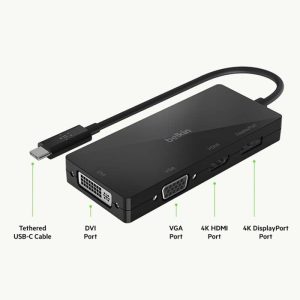 USB C Video Adapter HDMI VGA DisplayPort DVI Work
 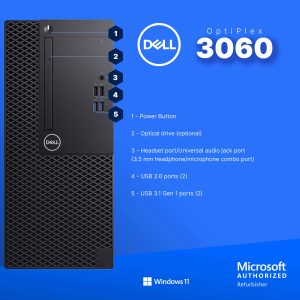 Dell Optiplex 3060 Tower Computer i5 GT 1030 32GB RAM
 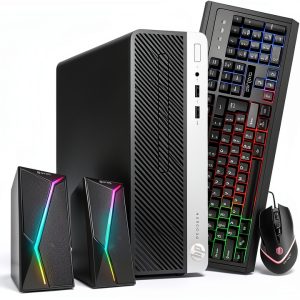 HP ProDesk 400G6 Desktop Intel i5 16GB RAM Windows 11 Pro
 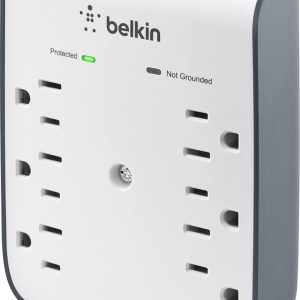 Belkin Surge Protector Wall Mount 6 Outlet USB Charging
  BOOST CHARGE 42W Dual Car Charger Fast Charging iPhone
  Belkin BOOSTCHARGE 24W Dual USB Car Charger Fast Charging
  YEYIAN Gaming PC Intel Core i9 NVIDIA RTX 5070 32GB DDR5