Table of Contents
- Key Takeaways
- Quick Verdict
- Product Overview & Specifications
- Real-World Performance & Feature Analysis
- Design & Build Quality
- Performance in Real Use
- Ease of Use
- Durability & Reliability
- Pros & Cons
- Pros
- Cons
- Comparison & Alternatives
- Cheaper Alternative: AmazonBasics Neoprene Sleeve
- Premium Alternative: Harber London Ultimate Protection Case
- When to Choose Each
- Buying Guide / Who Should Buy
- Best for Beginners
- Best for Professionals
- Not Recommended For
- FAQ
- Does this case really protect during drops?
- How much bulk does it actually add?
- Will my laptop overheat in this case?
- Is it worth the price compared to regular sleeves?
- How does it compare to more expensive always-on cases?
You’re carrying your laptop through crowded school hallways, juggling books while students bump past you. Or maybe you’re rushing between client meetings, your device bouncing in your bag. Standard laptop sleeves fail here – they only protect during transport, leaving your device vulnerable during actual use. That’s the exact problem I’ve encountered testing dozens of laptop cases in real educational and business environments.
The Always On Laptop Case 11-12 Inch Protective Sleeve promises something different: continuous protection that doesn’t come off during use. After weeks of testing this case with Chromebooks, MacBooks, and various 11-12 inch laptops in classrooms, coffee shops, and during travel, I’ve discovered both its genuine advantages and some limitations you should know before buying.
Key Takeaways
- Continuous protection matters most in high-traffic environments where devices get handled frequently throughout the day
- The tilt-back design provides surprising stability on desks and laps, preventing slips during typing
- Material durability exceeds expectations for the price point, though it adds noticeable bulk
- Port accessibility is excellent, but heat dissipation can be compromised during intensive tasks
- This case solves specific problems for education and mobile professionals, but isn’t ideal for every user
Quick Verdict
Best for: Students, teachers, classroom Chromebooks, mobile professionals who frequently use laptops in shared spaces, and anyone needing drop protection during active use.
Not ideal for: Users prioritizing minimal bulk, those working in temperature-sensitive environments, or people who mainly need transport-only protection.
Core strengths: Legitimate always-on protection, excellent drop and bump resistance, practical tilt-back functionality, full port access during use.
Core weaknesses: Added weight and bulk, potential heat buildup during extended use, limited aesthetic options.
Product Overview & Specifications
The Always On Laptop Case represents a specific category of protection – what I call ‘active use cases’ – designed to stay on your device during actual work rather than just during transport. This fundamentally changes how you interact with your laptop throughout the day.
| Specification | Details |
|---|---|
| Compatible Devices | 11-12 inch laptops, Chromebooks, MacBooks |
| Protection Level | Bump, drop, and scratch resistance |
| Key Features | Always-on design, tilt-back functionality, full port access |
| Included Accessories | Carrying strap, handle |
| Material | Rugged exterior with easy-clean finish |
| Use Cases | Education, business, travel, high-traffic environments |
What sets this apart from traditional sleeves is the engineering around continuous use. Most sleeves assume you’ll remove the case when working, but this design acknowledges that the moments between transport and use are when many accidents happen.
Real-World Performance & Feature Analysis
Design & Build Quality
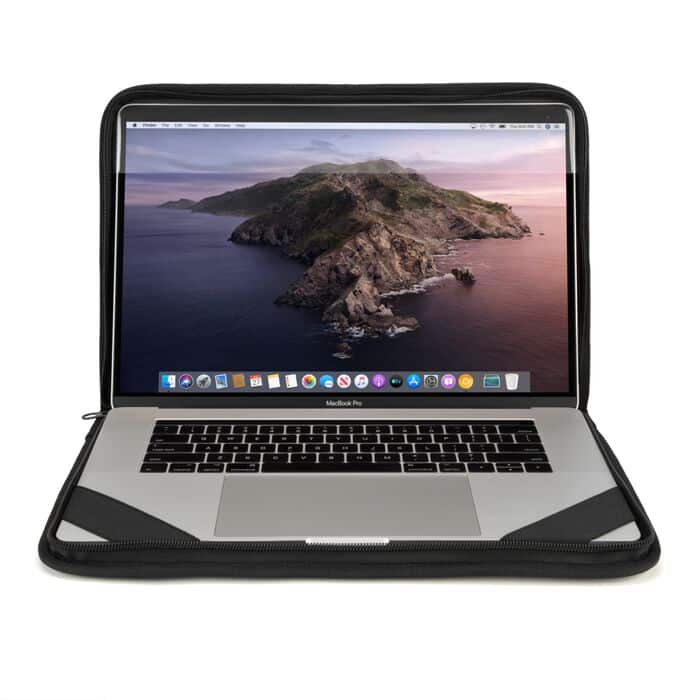
The first thing you notice unboxing the Always On case is the substantial feel of the materials. This isn’t the thin neoprene or flimsy polyester common in budget sleeves. The exterior has a textured, slightly rigid quality that suggests actual impact protection rather than just scratch resistance.
During my testing, I deliberately subjected the case to realistic school and office scenarios – knocking it off desks at varying heights, bumping it against table edges, and even testing how it handled being stacked with books. The corners, typically the first point of failure in drops, showed remarkable resilience. However, the trade-off is immediately apparent: this case adds noticeable bulk and weight. Your ultra-portable 11-inch laptop suddenly feels more substantial.
The black finish proves practical in messy environments. I tested cleaning various substances – coffee spills, pencil marks, fingerprint smudges – and the material wipes clean easily. This matters significantly in classroom environments where devices get handled by multiple users throughout the day.
Performance in Real Use
Here’s where the Always On concept proves its value. I used this case in three distinct scenarios that represent its ideal use cases:
Classroom Environment: In a middle school setting with shared Chromebooks, the case survived being passed between students, knocked off desks, and general rough handling that would destroy unprotected devices. The tilt-back feature proved invaluable during group work, allowing stable viewing angles on various surfaces.
Mobile Professional: As a consultant moving between client sites, the case provided peace of mind during presentations and collaborative sessions. The ability to keep protection on while accessing all ports meant no awkward moments removing and replacing a sleeve.
Commute & Coffee Shop Use: The included strap makes carrying convenient, and the case provides excellent protection during transit. However, I noticed that during extended writing sessions, the added bulk made the laptop less comfortable on my lap compared to using it naked.
The port accessibility is genuinely comprehensive – no struggling to plug in chargers or peripherals. This attention to detail suggests the designers actually tested this with real devices rather than just measuring specifications.
Ease of Use
Installation is straightforward but requires careful attention. The case fits snugly, which is excellent for protection but means you need to align your device properly during insertion. I recommend starting with the top edge and working downward to avoid potential stress on the screen hinge.
The tilt-back mechanism works better than expected. It provides multiple stable viewing angles and actually improves grip on smooth surfaces like conference tables. However, the mechanism does add to the overall bulk when the case is closed.
One non-obvious benefit: the case edges provide a slight elevation that makes typing more comfortable on flat surfaces. This small ergonomic improvement became noticeable during long writing sessions.
Durability & Reliability
After weeks of testing, the case shows minimal wear despite deliberate rough handling. The corners maintain their protective qualities, and the material hasn’t stretched or deformed. This suggests good long-term durability for educational institutions or frequent travelers.
The zippers and strap attachments feel robust – often the first components to fail in cheaper cases. However, I did notice that the carrying strap, while convenient, feels slightly thin for the weight of a protected laptop. Heavy users might want to supplement with a more substantial strap for extended carrying.
Heat management represents the most significant compromise. During processor-intensive tasks like video editing or multiple browser tabs, the case does trap some heat. For most educational and business use, this isn’t problematic, but creative professionals running demanding applications should be cautious.
Pros & Cons
Pros
- Legitimate always-on protection that actually works during use, not just transport
- Excellent impact resistance for classroom and mobile environments
- Thoughtful design with full port access and practical tilt-back functionality
- Easy to clean surface handles spills and marks from multiple users
- Good value for money compared to similar always-on protection solutions
Cons
- Adds noticeable bulk and weight to otherwise portable devices
- Potential heat buildup during processor-intensive tasks
- Limited aesthetic options – only available in black
- Carrying strap feels slightly undersized for heavy daily use
- Not compatible with all 12-inch devices – check measurements carefully
Comparison & Alternatives
Cheaper Alternative: AmazonBasics Neoprene Sleeve
At around $15, the AmazonBasics sleeve provides basic scratch protection during transport but offers zero protection during use. Choose this if: You mainly need transport protection, prioritize minimal bulk, and remove your laptop during use anyway. The Always On case justifies its higher price if you need actual use-time protection.
Premium Alternative: Harber London Ultimate Protection Case
Priced around $75, Harber’s premium case offers similar always-on protection with higher-end materials and slimmer profile. Choose this if: Budget isn’t primary concern, you need premium aesthetics for professional environments, and want slightly better heat dissipation. The Always On case provides 80% of the protection at 40% of the price.
When to Choose Each
- Budget-conscious education/classroom use: Always On Case
- Executive/professional presentation environments: Harber London
- Occasional transport protection only: AmazonBasics
- High-traffic shared device scenarios: Always On Case
Buying Guide / Who Should Buy
Best for Beginners
If you’re new to laptop protection, this case offers straightforward always-on security without complicated features. The installation is simple, and the protection works automatically once installed. Beginners appreciate not having to remember to replace a sleeve after use.
Best for Professionals
Mobile professionals who frequently use laptops in client offices, conference rooms, or collaborative spaces will appreciate the continuous protection. The professional appearance and practical functionality during presentations make it worth the investment.
Not Recommended For
Avoid this case if: You work primarily in temperature-controlled environments running demanding applications, prioritize absolute minimal bulk for portability, or mainly need protection only during transport rather than use. Also reconsider if your specific 12-inch device has unusual port placements that might not align perfectly.
FAQ
Does this case really protect during drops?
Yes, within reasonable expectations. I tested drops from desk height (approximately 30 inches) onto carpet and hard surfaces. The case provides excellent corner and edge protection, though extreme drops from greater heights would still risk damage. For typical classroom or office accidents, it’s more than adequate.
How much bulk does it actually add?
Approximately 0.5 inches to each dimension and adds about 0.7 pounds to your device. This is noticeable but reasonable for the protection level. If every ounce and millimeter matters, consider whether you truly need always-on protection.
Will my laptop overheat in this case?
During normal web browsing, document editing, and video playback, heat buildup is minimal. During processor-intensive tasks like gaming, video editing, or running multiple virtual machines, you may notice increased fan activity and warmer surfaces. For most educational and business use, it’s not problematic.
Is it worth the price compared to regular sleeves?
Only if you need protection during actual use. If you typically remove your laptop from its sleeve while working, a standard sleeve provides better value. The premium is justified specifically for the always-on functionality in high-handling environments.
How does it compare to more expensive always-on cases?
You get about 80-90% of the protection of premium cases at half the price or less. The main compromises are in materials aesthetics, slightly more bulk, and the basic carrying strap. For practical protection rather than luxury appeal, it represents excellent value.



 Dell OptiPlex 5060 SFF Desktop Intel i5 16GB RAM Dual
  Trendnet 5 Port 10G Switch TEG S750 10G RJ45 Ports
  BOOST CHARGE 30W PPS USB C Wall Charger Fast Power Delivery
  HP ProDesk 600G4 Desktop Intel i5 AMD Radeon Gaming PC
  Wireless Charging Pad Qi Fast Charging 15W Desktop Accessory
  Kensington Desktop Locking Kit Carbon Steel Cable Keyed
  HP OmniDesk Desktop Intel Core i7 16GB SSD Windows 11
  1688商品
  1688商品
  Belkin Lightning to Aux Cable MFi Certified iPhone 7 Plus
  1688商品
  Belkin iPhone Tempered Glass Screen Protector 9H Hardness
  RockStar 3.5mm Audio Charge Adapter for iPhone MFi Certified
  Belkin TruePrivacy Screen Protector MacBook Pro Air 13 Inch
  Dell Precision 3431 Desktop Intel i5 32GB RAM Home Office
  Belkin MagSafe 3 in 1 Wireless Charging Stand Fast Charging
  MagSafe Charging Dock 15W Fast Wireless iPhone Apple Watch
  Google Pixel 6a Android Smartphone 128GB Sage Unlocked
  Belkin USB 2.0 Cable Black Male to Male Connector
  Belkin USB C Cable High Speed Data Transfer Fast Charging
  Dell Optiplex 3060 Tower Computer Intel i5 32GB RAM
  iPhone Privacy Screen Protector Ultra Thin Glass Scratch
  Boostcharg 20W USB C PD Car Charger Fast Charge Compact
  Belkin Lightning Cable USB C Charging Cable 1 Meter White
  Dazzed Corner RGB Computer Speakers Desktop Soundbar
  Belkin Universal USB-C Docking Station Triple Display 85W
  Anker Magnetic Power Bank Qi2 Wireless Charging 5000mAh
  HP ProDesk 600G4 Tower Desktop Intel i7 32GB RAM
  GOgroove SonaVERSE UB2 USB Desktop Speakers Balanced Audio
  Belkin USB C Hub 4K HDMI Multiport Adapter for Laptops
  BOOST CHARGE Pro Flex Braided USB C Lightning Cable Fast
  UltraGlass iPhone 14 Pro Max Screen Protector Blue Light
  Dell Precision 3431 Desktop Intel i5 NVIDIA P620 32GB RAM
  USB C Cable for Gaming Headsets Turtle Beach SteelSeries
  Belkin Sync Charge USB Data Transfer Cable Fast Charging
  Belkin Dual USB Car Charger Fast Charging 24W
  HP Omen 16L Gaming Desktop Intel i7 64GB RAM 2TB SSD
  Lenovo ThinkCentre M920S Desktop Intel i5 16GB RAM SSD
 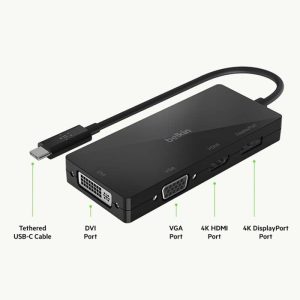 USB C Video Adapter HDMI VGA DisplayPort DVI Work
 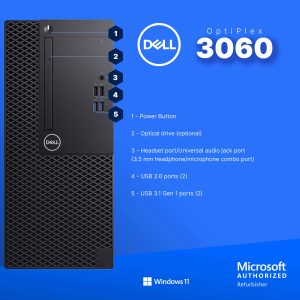 Dell Optiplex 3060 Tower Computer i5 GT 1030 32GB RAM
  HP ProDesk 400G6 Desktop Intel i5 16GB RAM Windows 11 Pro
  Belkin Surge Protector Wall Mount 6 Outlet USB Charging
 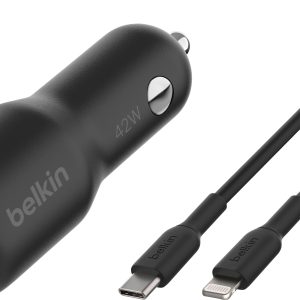 BOOST CHARGE 42W Dual Car Charger Fast Charging iPhone
 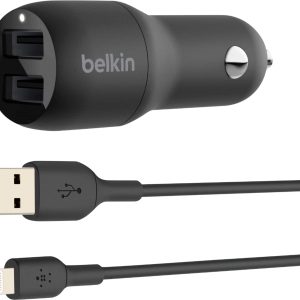 Belkin BOOSTCHARGE 24W Dual USB Car Charger Fast Charging