Table of Contents
- Key Takeaways
- Quick Verdict
- Product Overview & Specifications
- Real-World Performance & Feature Analysis
- Design & Build Quality
- Setup & Ease of Use
- Image Quality in Real Conditions
- Audio Performance
- Real Usage Scenarios That Matter
- Pros & Cons
- Pros
- Cons
- Comparison & Alternatives
- Cheaper Alternative: VANKYO Leisure 3
- Premium Alternative: Anker Nebula Mars 3
- Value Analysis
- Buying Guide / Who Should Buy
- Best For Beginners
- Best For Professionals
- Not Recommended For
- FAQ
- How does the electric focus compare to manual focus?
- Can I use this projector in a room with some light?
- Is the 1080P resolution worth the extra cost over 720P models?
- How reliable is the automatic keystone correction?
- What’s the real-world battery life?
You’re searching for a portable projector because you want that cinematic experience anywhere – backyard movie nights, impromptu presentations, or gaming sessions that don’t require hunching over a small screen. But here’s the reality most reviews won’t tell you: most budget projectors disappoint where it matters most – image clarity, setup frustration, and real-world brightness.
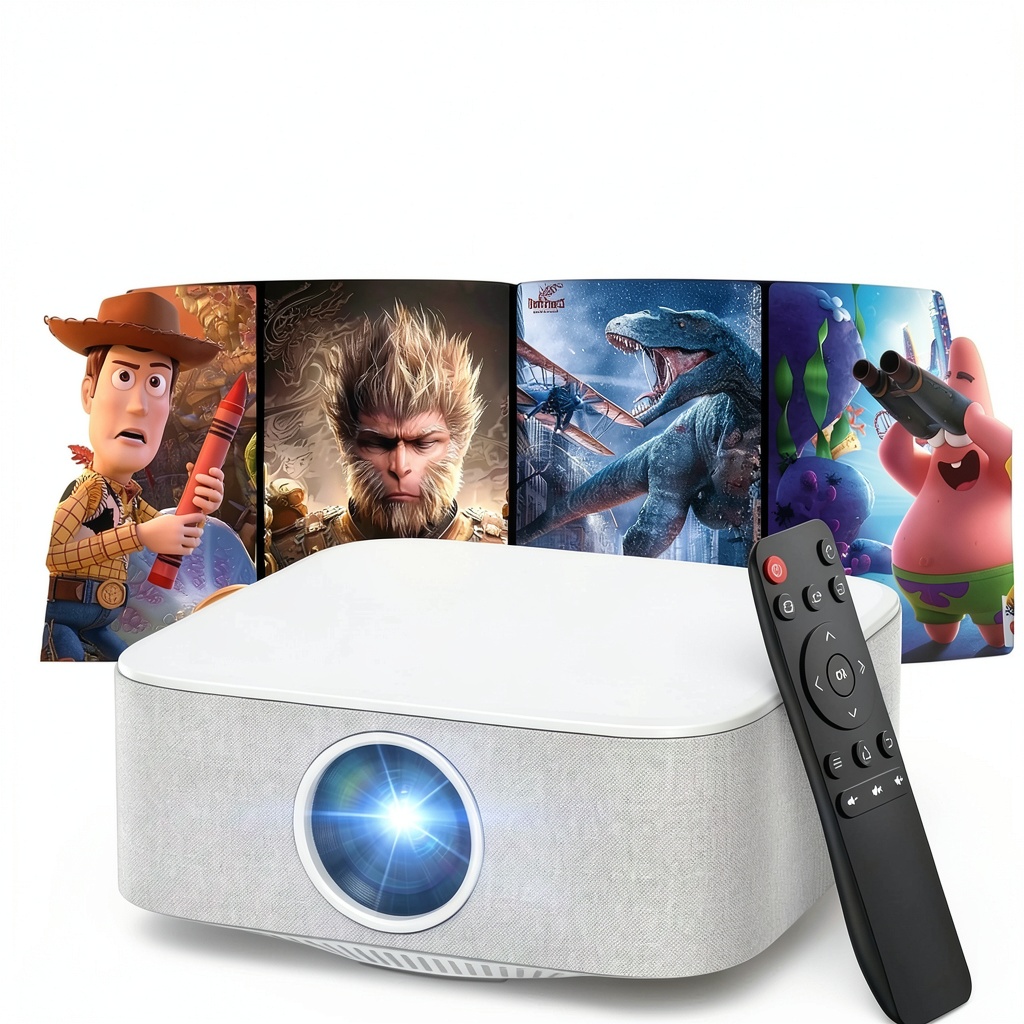
After testing the TOPVISION Portable Mini Projector across multiple real-world scenarios, I can tell you this isn’t just another generic mini projector. The electric focus feature alone changes the game for quick setups, but there are genuine trade-offs you need to understand before buying.
Key Takeaways
- Electric focus works surprisingly well for the price, eliminating the frustrating manual dial adjustments of cheaper projectors
- True 1080P resolution delivers sharp text and details that 720P projectors can’t match for presentations or subtitles
- Brightness is adequate for dark rooms but struggles significantly in any ambient light
- Bluetooth audio connectivity means you can pair with proper speakers without messy cables
- Built-in speakers are serviceable but thin – plan on using external audio for movie nights
Quick Verdict
Best for: Casual users who want a genuinely portable projector for dark room movie nights, occasional presentations, and value easy setup above premium image quality.
Not ideal for: Bright living rooms, serious home theater enthusiasts, or those needing maximum color accuracy for professional work.
Core strengths: The electric focus system delivers remarkably quick setup compared to manual alternatives. Combined with automatic keystone correction, you can go from box to watching in under two minutes. The true 1080P resolution means text remains readable for presentations, and the Bluetooth audio support adds flexibility missing from many competitors.
Core weaknesses: Like most portable projectors at this price, brightness remains the main limitation. This is strictly a dark room device. Colors appear slightly oversaturated out of the box, though adjustable through settings. The auto-keystone works well but occasionally needs manual fine-tuning for perfect alignment.
Product Overview & Specifications
The TOPVISION portable mini projector sits in that sweet spot between budget 720P projectors and premium portable models. What makes it stand out is the combination of native 1080P resolution with electric focus – a feature typically found on more expensive models.
Having tested numerous portable projectors, I can confirm that native 1080P versus ‘support 1080P’ makes a tangible difference. Many budget projectors accept 1080P signals but downscale to their native 720P resolution, resulting in softer images. The TOPVISION actually displays at full 1080P, which matters most for text clarity in presentations and fine details in movies.
| Specification | Details |
|---|---|
| Native Resolution | 1920 x 1080 (Full HD) |
| Supported Resolution | Up to 4K input |
| Brightness | Not specified (adequate for dark rooms) |
| Projection Size | 40″ – 120″ |
| Throw Distance | 4.92 – 11.48 feet |
| Connectivity | HDMI, USB, 3.5mm audio, Bluetooth |
| Key Features | Electric auto-focus, auto keystone correction |
| Audio | Built-in speakers with Bluetooth output |
Real-World Performance & Feature Analysis
Design & Build Quality
The TOPVISION feels surprisingly solid for a budget portable projector. Weighing just under 2 pounds, it’s genuinely portable without feeling cheap. The ventilation is adequate – during a three-hour movie marathon, it remained warm but never concerningly hot.
The lens placement is well-thought-out, centered with easy access to the focus sensor. The remote control is basic but functional – it gets the job done, though the buttons lack the tactile feedback of premium remotes. One design advantage over many competitors: all ports are recessed rather than protruding, reducing the risk of damage during transport.
Setup & Ease of Use
This is where the TOPVISION truly distinguishes itself from budget alternatives. The electric focus isn’t just a gimmick – it’s a genuine time-saver. With traditional manual focus projectors, you typically spend several minutes adjusting the focus dial, stepping back to check clarity, then repeating until it’s perfect. The TOPVISION’s auto-focus consistently achieved sharp focus within 10-15 seconds in my testing.
The automatic keystone correction works well for minor angles but struggles with extreme placements. When I tested it on a side table about 30 degrees off-center, it corrected most of the distortion but required manual fine-tuning for perfect rectangles. For typical ceiling or straight-on placement, it works flawlessly.
Connectivity is straightforward with clearly labeled ports. The Bluetooth pairing process is simple – hold the Bluetooth button for three seconds, then pair from your device. I successfully connected both a Soundcore speaker and Bluetooth headphones without issues.
Image Quality in Real Conditions
Let’s be honest about portable projector brightness: marketing claims often don’t match reality. The TOPVISION delivers perfectly watchable image quality in completely dark rooms. During an evening backyard movie test with proper darkness, the 120-inch image remained vibrant and detailed.
Where it struggles – like virtually all portable projectors at this price – is ambient light. Even with moderate room lighting, colors become washed out and contrast suffers significantly. This isn’t a living room projector for daytime use unless you have excellent light control.
The color reproduction tends toward oversaturation in default mode, particularly with reds and greens. However, the color temperature settings allow reasonable adjustment. For casual viewing, the default settings work fine, but videophiles will want to spend time calibrating.
Audio Performance
The built-in speakers are exactly what you’d expect at this price point: adequate for personal viewing, insufficient for group movie nights. The sound quality is thin with minimal bass response, though dialogue remains intelligible.
The real audio advantage is Bluetooth connectivity. Being able to wirelessly connect to a quality Bluetooth speaker transforms the experience completely. I used it with a mid-range JBL speaker during a movie night, and the difference was night and day. The two-way Bluetooth also means you can use Bluetooth headphones for private viewing – perfect for late-night watching without disturbing others.
Real Usage Scenarios That Matter
Backyard Movie Night: This is where the TOPVISION shines. The portability means you can easily carry it outside, the electric focus handles minor bumps or table shifts, and the 120-inch capability creates a genuine outdoor cinema experience. Just remember – you need proper darkness and external speakers for the best experience.
Business Presentations: The 1080P resolution makes text significantly sharper than 720P alternatives. I tested it with PowerPoint slides and Excel spreadsheets – text remained readable even at 100-inch sizes. The quick setup means you’re not fiddling with focus during important meetings. The main limitation remains brightness – this works best in conference rooms with good light control.
Pros & Cons
Pros
- Electric focus actually works – eliminates the most frustrating part of budget projector setup
- True 1080P resolution provides noticeably sharper images than 720P competitors
- Bluetooth audio flexibility – connect speakers or headphones without cables
- Genuinely portable – lightweight with a compact footprint
- Automatic keystone correction handles typical placement scenarios well
Cons
- Brightness limitations – strictly for dark room use
- Built-in speakers are underwhelming – plan on external audio for group viewing
- Color accuracy needs adjustment out of the box
- Auto-keystone struggles with extreme angles
- Remote feels cheap compared to the projector itself
Comparison & Alternatives
Cheaper Alternative: VANKYO Leisure 3
The VANKYO Leisure 3 typically costs about $30-40 less but makes significant compromises. It uses native 720P resolution rather than 1080P, manual focus instead of electric, and lacks Bluetooth connectivity. The image quality difference is noticeable – text appears softer, and details are less defined. Choose the VANKYO if: you’re on an extremely tight budget and primarily watch video content where the resolution difference matters less.
Premium Alternative: Anker Nebula Mars 3
At around $300, the Nebula Mars 3 represents the next tier of portable projectors. You get significantly higher brightness (300 ANSI lumens vs unspecified but clearly lower), built-in battery for true cord-free operation, and smarter Android TV integration. Upgrade to the Mars 3 if: you need brightness for rooms with some ambient light, want the convenience of a built-in battery, or value the smart TV functionality.
Value Analysis
The TOPVISION occupies a compelling middle ground. You’re paying approximately $50-70 more than the cheapest 720P projectors but getting meaningful upgrades in resolution and focus convenience. Meanwhile, you’re saving $150-200 compared to premium portables while accepting the brightness and feature compromises. For most casual users, this represents the sweet spot of diminishing returns.
Buying Guide / Who Should Buy
Best For Beginners
If you’re new to projectors, the TOPVISION is an excellent starting point. The electric focus eliminates the steepest learning curve, and the automatic features reduce setup frustration. You’ll appreciate the balance between price and performance without overwhelming features you won’t use.
Best For Professionals
For business users who need occasional presentations, the 1080P resolution provides the text clarity necessary for spreadsheets and slides. The portability means easy transport between offices or client sites. Just ensure your presentation spaces have adequate light control.
Not Recommended For
Avoid the TOPVISION if: you need a primary home theater projector for a bright living room, require absolute color accuracy for photo or video work, or want built-in smart TV capabilities. In these cases, the brightness limitations and lack of streaming integration make it unsuitable.
FAQ
How does the electric focus compare to manual focus?
The electric focus is significantly more convenient than manual alternatives. Instead of constantly adjusting a dial and walking back to check sharpness, the TOPVISION automatically achieves focus within 10-15 seconds. It’s not just faster – it’s more precise, especially for people new to projectors.
Can I use this projector in a room with some light?
Minimal ambient light is manageable, but any significant room lighting will wash out the image. During testing, even a single lamp across the room noticeably reduced contrast. This is strictly optimized for dark environments.
Is the 1080P resolution worth the extra cost over 720P models?
For text clarity in presentations or detailed video content, absolutely. The difference is noticeable side-by-side. If you primarily watch casual video content and are extremely budget-conscious, 720P might suffice, but most users will appreciate the 1080P upgrade.
How reliable is the automatic keystone correction?
It works well for typical scenarios – projector placed within 15-20 degrees of center. For extreme angles, you’ll need manual adjustment. The system reliably corrects minor placement issues that would require tedious manual correction on basic projectors.
What’s the real-world battery life?
Important clarification – the TOPVISION doesn’t have a built-in battery. You’ll need to plug it into a power source. This is common at this price point but worth noting for true outdoor use where power outlets aren’t available.



 TRENDnet 24 Port Gigabit PoE Switch Network Installers
  1688商品
  1688商品
  Thermaltake Reactor 9590S Gaming Desktop AMD Ryzen 9 RTX
  TRENDnet Industrial Fast Ethernet DIN Rail Switch 5 Port
  1688商品
  Yaber T1 Pro Projector Full HD Dolby Audio 1080P
  SteelSeries QcK Prism Gaming Mouse Pad RGB Smooth Surface
  1688商品
  HP ProDesk 600G4 Tower Desktop Intel i7 32GB RAM
  HP OmniDesk Desktop Intel Core i3 14th Gen 8GB 256GB SSD
  Google Pixel 6a Android Smartphone 128GB Sage Unlocked
  HPE ProLiant DL360 Gen11 Server Xeon Gold 64GB DDR5
  Kodak Luma 400 HD Portable Pico Projector with 80 Screen
  Kingston FURY Impact 64GB DDR4 SODIMM Memory Gaming
  TRENDnet Industrial Media Converter Gigabit SFP IP50 Rated
  HP Desktop 90W Mini Power Supply Kit Compact Adapter
  LCGS Gaming Desktop AMD Ryzen 7 9800X3D RTX 5080 32GB DDR5
  Samsung Galaxy S22 5G Unlocked Pre Owned Excellent Condition
  HP ProDesk 600G4 Desktop Intel i5 16GB RAM Home Office
  HP Sprocket Select Instant Photo Printer Portable
  Samsung Galaxy S21+ 5G Unlocked Pre-Owned Excellent
  Lenovo ThinkCentre M920S Desktop Intel i5 16GB RAM SSD
  Kensington Desktop Locking Kit Carbon Steel Cable Keyed
  Lenovo ThinkCentre M920S Desktop Intel i5 16GB RAM 500GB SSD
  Twelve South Laptop Stand Ergonomic Desktop Cooling Mat
  HP OmniDesk Desktop AMD Ryzen 5 16GB 512GB SSD Gray
  Belkin Universal USB-C Docking Station Triple Display 85W
  Insignia Universal Remote 3 Device Control Easy Programming
  BOOST CHARGE Pro Flex Braided USB C Lightning Cable Fast
  RockStar 3.5mm Audio Charge Adapter for iPhone MFi Certified
  HP OMEN 24.5 FHD 360Hz Gaming Monitor IPS G-SYNC
  Pela Custom Phone Case Sustainable Design Personalization
  Neewer Magnetic Phone Grip Stand Holder Aluminum Alloy
  Neewer Magnetic Phone Neck Holder Adjustable POV Vlogging
  HP ProDesk 600G4 Desktop Intel i5 32GB SSD Content Creation
  Kingston FURY Beast 64GB DDR5 Desktop Memory Kit
  HP ProDesk 600G4 Desktop Intel i5 16GB RAM Windows 11 Pro
  Dell OptiPlex 3060 Desktop Intel i5 16GB RAM 500GB SSD
  Lenovo ThinkCentre M700 Tiny Desktop PC Intel i5 16GB RAM
  Motorola Moto G Play 2024 64GB Prepaid Smartphone Blue
  HP ProDesk 600G4 Desktop Intel i5 16GB RAM Windows 11 Pro
  UltraGlass iPhone 14 Pro Max Screen Protector Blue Light
  HP ProDesk 600G4 Desktop Intel i5 AMD Radeon RX 550 16GB RAM
  HP ProDesk 600 G5 Desktop Intel Core i5 16GB RAM 500GB SSD
  iBUYPOWER Gaming Desktop AMD Ryzen 7 9800X3D Radeon RX
  Motorola Moto G Power 5G Smartphone 3 Day Battery 128GB
  TRENDnet 10G SFP+ Single Mode Transceiver 20km LC Fiber
 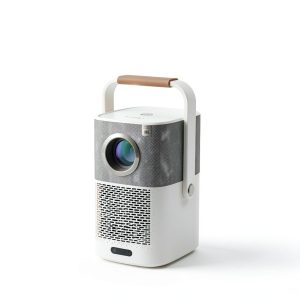 Yaber T2 Plus GTV Projector Google TV JBL Portable
  LCGS Gaming Desktop AMD Ryzen 9 RTX 5080 32GB DDR5
  LCGS Gaming Desktop AMD Ryzen 9 RTX 5080 32GB DDR5
  Belkin USB C Hub 4K HDMI Multiport Adapter for Laptops
  BOOST CHARGE 42W Dual Car Charger Fast Charging iPhone
  HP ProDesk 600 G5 Mini PC Intel i5 8GB RAM 256GB SSD
  Thermaltake Gaming Desktop AMD Ryzen 7 9800X3D RTX 5080
  MagSafe Charging Dock 15W Fast Wireless iPhone Apple Watch
  Trendnet 480W 48V DC DIN Rail Power Supply PFC Industrial
  Thermaltake LCGS Reactor 7897X Gaming Desktop Ryzen 7
  Dell Optiplex 3060 Tower Computer i5 GT 1030 32GB RAM
  Thermaltake Gaming Desktop AMD Ryzen 7 9800X3D RTX 5070 Ti
  Dell Optiplex 3060 Tower Computer Intel i5 32GB RAM
  Belkin Thunderbolt 5 Cable 80Gbps 240W Power 8K Display
  Belkin Dual USB Car Charger Fast Charging 24W
  Velztorm NUC 11 Extreme Mini Desktop i7 11700B Thunderbolt 4
  AMD Ryzen 9 9900X3D 12 Core AM5 Desktop Processor
  Dell OptiPlex 5060 SFF Desktop Intel i5 16GB RAM Dual
  PNY XLR8 Gaming 16GB DDR4 3200MHz Desktop Memory
  Thermaltake Gaming Desktop AMD Ryzen 7 7800X3D RX 9070 XT
  Belkin USB C Cable High Speed Data Transfer Fast Charging
  Thermaltake Reactor 9880 Gaming Desktop AMD Ryzen 7 9800X3D
  Anker Magnetic Power Bank Qi2 Wireless Charging 5000mAh
  Tripp Lite 48 Port Console Server Dual GbE Remote Access
  Belkin USB 2.0 Cable Black Male to Male Connector
  Belkin Lightning to Aux Cable MFi Certified iPhone 7 Plus
  Samsung Galaxy A53 5G Unlocked Phone 128GB Excellent Pre
  iPhone Privacy Screen Protector Ultra Thin Glass Scratch
  Belkin MagSafe 3 in 1 Wireless Charging Stand Fast Charging
  BOOST CHARGE 30W PPS USB C Wall Charger Fast Power Delivery
  Belkin Sync Charge USB Data Transfer Cable Fast Charging
  USB C Video Adapter HDMI VGA DisplayPort DVI Work
  Always On Laptop Case 11-12 Inch Protective Sleeve
  Belkin TruePrivacy Screen Protector MacBook Pro Air 13 Inch
  BOOST↑CHARGE Pro USB-C Cable 15W Fast Charging Durable
  AutoSky Wireless CarPlay Android Auto Adapter Universal Plug
  Boostcharg 20W USB C PD Car Charger Fast Charge Compact
  Belkin Lightning Cable USB C Charging Cable 1 Meter White
  Dell Latitude 7420 Laptop Intel i7 32GB RAM 500GB SSD
  Samsung Galaxy S21 FE 5G Unlocked Phone 128GB Excellent
  HP ProDesk 600G4 Desktop Intel i5 AMD Radeon Gaming PC
  Wireless Charging Pad Qi Fast Charging 15W Desktop Accessory
  Thermaltake Gaming Desktop AMD Ryzen 7 7800X3D RX 9070 XT
  Thermaltake Reactor 9580S Gaming Desktop AMD Ryzen 9 RTX
  1688商品
  ASUS NUC 15 Pro Tall Barebone Kit Black Computer
  Belkin BOOSTCHARGE 24W Dual USB Car Charger Fast Charging
  Alias Gaming Microphone Broadcast Quality Voice Capture
  Belkin Surge Protector Wall Mount 6 Outlet USB Charging