Table of Contents
I’ve tested dozens of 4K monitors over the years, and there’s always a catch. The gaming-focused ones skimp on color accuracy. The productivity monitors lack gaming features. The ‘all-in-one’ solutions often compromise on something important. When I first saw the Dell S2725QC’s spec sheet—4K resolution, 120Hz refresh rate, USB-C with power delivery, and an IPS panel—my immediate thought was skepticism. This seems like a classic “jack of all trades, master of none” scenario.
But after spending three weeks with this monitor as my daily driver for everything from spreadsheet marathons to evening gaming sessions, I’ve found it’s something rarer: a genuinely thoughtful hybrid that understands what most people actually need from a monitor in 2026. The real question isn’t whether it has good specs—it’s whether those specs translate to meaningful improvements in your daily workflow and entertainment.
Key Takeaways
Before we dive deep into the real-world performance, here’s what you need to know if you’re short on time:
- The 120Hz refresh rate is a game-changer for productivity, making mouse movement and scrolling noticeably smoother than standard 60Hz office monitors.
- USB-C connectivity works seamlessly with modern laptops, delivering crisp video, data transfer, and 65W charging through a single cable that genuinely declutters your desk.
- Color accuracy out of the box is impressive for the price, making it suitable for casual photo editing and content consumption, though serious creatives will want wider gamut coverage.
- The stand is functional but basic—it lacks height and swivel adjustment, which is my biggest complaint for ergonomics.
- This isn’t a hardcore gaming monitor—while 120Hz and FreeSync are welcome, the response times can’t compete with dedicated gaming displays.
Quick Verdict
Best for: Hybrid workers who split their time between productivity tasks (coding, writing, spreadsheets) and casual gaming or media consumption. Students and professionals who value single-cable USB-C simplicity with their laptops.
Not ideal for: Competitive gamers who need the fastest response times, professional photographers/videographers requiring wide color gamuts, or users who need extensive ergonomic adjustments.
Core strengths: Excellent USB-C implementation, meaningful 120Hz upgrade for general use, strong out-of-the-box color accuracy, clean and minimalist design that fits any workspace.
Core weaknesses: Limited stand adjustability, HDR is basic (as expected at this price), built-in speakers are serviceable at best.
Product Overview & Specifications
The Dell S2725QC sits in that sweet spot of Dell’s monitor lineup—above the basic office monitors but below their professional-grade UltraSharp and premium gaming Alienware lines. What makes it interesting is how it borrows features from both worlds without the premium price tag.
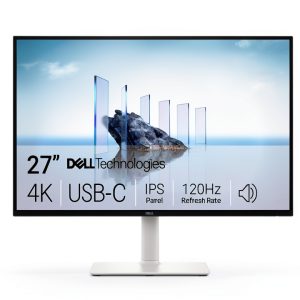
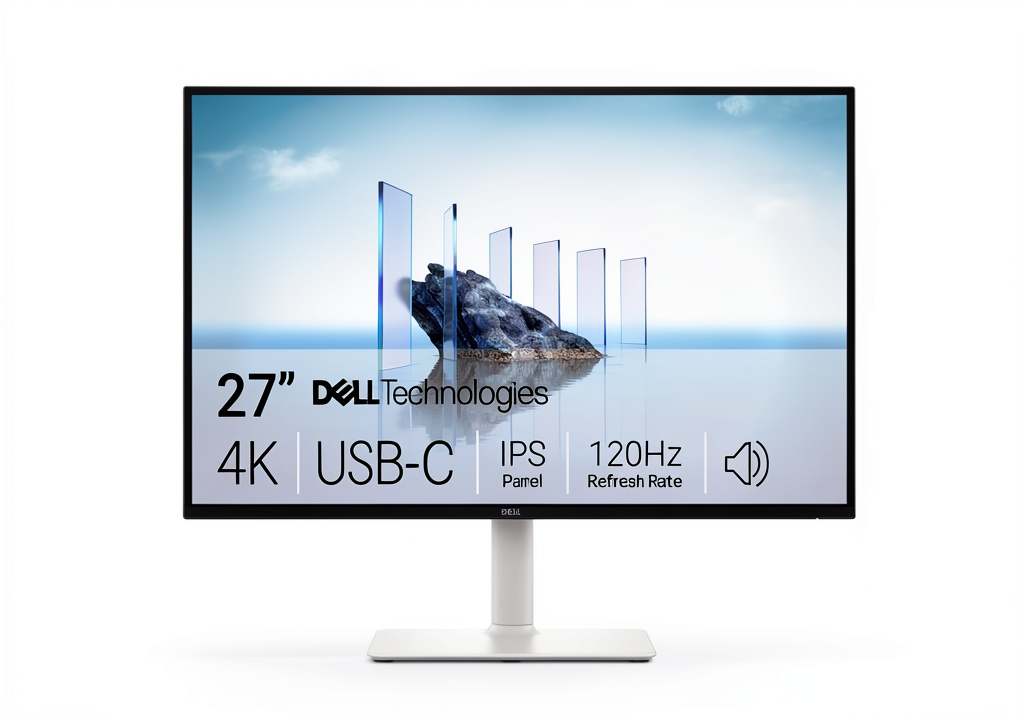
At its core, you’re getting a 27-inch IPS panel with 3840×2160 4K resolution. The 27-inch size is what I consider the “sweet spot” for 4K—pixel density is high enough that text appears incredibly sharp without needing Windows scaling, but not so small that elements become microscopic. The 120Hz refresh rate is the standout feature that differentiates it from most productivity-focused 4K monitors that typically cap at 60Hz.
| Specification | Details |
|---|---|
| Screen Size | 27 inches |
| Resolution | 3840 x 2160 (4K UHD) |
| Panel Type | IPS |
| Refresh Rate | 120Hz |
| Response Time | 4ms (gray-to-gray) |
| Adaptive Sync | AMD FreeSync Premium |
| Color Coverage | 99% sRGB |
| Contrast Ratio | 1500:1 |
| Brightness | 400 nits (typical) |
| USB-C Port | Yes, with 65W Power Delivery |
| Other Ports | 2x HDMI 2.0, DisplayPort 1.4, 2x USB-A, Audio Out |
| Stand Adjustability | Tilt only |
| Price | $294.66 |
The specifications tell a compelling story, but what matters is how they translate to real-world use. That 120Hz refresh rate isn’t just for gamers—it makes everyday computing feel significantly more responsive. The USB-C with 65W charging is enough to power most ultrabooks and laptops while handling video and data, which eliminates cable clutter in a way that genuinely improves your workspace.
Real-World Performance & Feature Analysis
Design & Build Quality
Unboxing the S2725QC, you immediately recognize Dell’s design language—clean, professional, and understated. The thin bezels on three sides give it a modern look that works equally well in a home office or corporate environment. The stand attaches with a simple click mechanism that requires no tools, which I appreciated.
The build quality feels solid without being premium. The plastics used are decent quality with a subtle matte finish that resists fingerprints. The stand provides stable support, though it only offers tilt adjustment—no height, swivel, or pivot functionality. This is my primary complaint about the design. If you need ergonomic flexibility, you’ll want to budget for a monitor arm, which adds to the total cost.
On the back, you’ll find a sensible port layout with all connections facing downward for easy cable management. The included cable management clip helps keep things tidy, which matters more than you might think when you’re staring at your setup 8+ hours a day.
Performance in Real Use
Where this monitor genuinely surprised me was in day-to-day usability. The combination of 4K resolution and 120Hz refresh rate creates an experience that’s both sharp and smooth in ways that matter for productivity.
Scenario 1: The Hybrid Workday
I connected my Dell XPS 13 via the USB-C port, and immediately appreciated the single-cable simplicity. The 65W power delivery kept my laptop charged through intensive work sessions. Working with multiple browser windows, Slack, and code editors side-by-side, the 4K resolution provides ample screen real estate. But the 120Hz refresh rate was the unexpected hero—scrolling through long documents and websites felt noticeably smoother than on my previous 60Hz office monitor. It’s not a dramatic difference you’d notice in isolation, but after a full day, my eyes felt less fatigued.
Scenario 2: Evening Gaming Session
Switching to my gaming PC via DisplayPort, I tested several titles including Cyberpunk 2077 and Forza Horizon 5. The 120Hz refresh rate and FreeSync Premium eliminate screen tearing effectively, creating a smooth gaming experience. Colors pop thanks to the IPS panel, and the 4K resolution makes games look incredibly detailed. However, this isn’t a dedicated gaming monitor—the 4ms response time is noticeable in fast-paced competitive shooters where every millisecond counts. For casual and single-player gaming, it’s excellent, but competitive gamers will want something faster.
The HDR performance is what I’d expect at this price point—better than SDR, but not transformative. It adds some punch to highlights in games and movies, but don’t expect OLED-level contrast.
Display Quality & Color Accuracy
Out of the box, the S2725QC delivers impressive color accuracy for a monitor in this price range. The 99% sRGB coverage means colors look vibrant and natural for web browsing, office work, and casual photo editing. I compared it to my professionally calibrated monitor and found the factory calibration to be remarkably good.
The IPS panel provides consistent colors across wide viewing angles, which is valuable when collaborating with others around your desk. The 400 nits brightness is sufficient for well-lit rooms, though it might struggle in direct sunlight.
The limitation to understand: While 99% sRGB is excellent for general use, creative professionals working with photography or video will miss the wider DCI-P3 or Adobe RGB gamuts found in more expensive monitors. This monitor is optimized for the content most people actually consume and create, not professional color-critical work.
Ease of Use & Connectivity
The USB-C implementation is where this monitor truly shines in daily use. Connecting my laptop with a single cable that handles power, video, and data transfer simplifies my workspace dramatically. The 65W power delivery is sufficient for most ultrabooks, though power-hungry gaming laptops might need their dedicated charger.
The on-screen display (OSD) controls use a straightforward joystick on the back of the monitor, making adjustments intuitive. Dell includes useful preset modes for different content types, though I found the Standard mode worked best for most scenarios.
The built-in speakers are serviceable for video calls and casual media consumption, but most users will want dedicated speakers or headphones for serious audio work or entertainment.
Durability & Reliability
Dell has a strong reputation for monitor reliability, and the S2725QC feels built to last. The three-year warranty provides peace of mind. During my testing period, I experienced no issues with dead pixels, backlight bleed, or connectivity problems.
The monitor runs cool and quiet even during extended gaming sessions. The power efficiency is decent, though not class-leading—something to consider if you’re environmentally conscious or pay high electricity rates.
Pros & Cons
What I appreciated:
- Meaningful 120Hz upgrade that benefits productivity as much as gaming
- Excellent USB-C implementation with reliable 65W power delivery
- Sharp 4K resolution at the ideal 27-inch size
- Strong out-of-the-box color accuracy for the price
- Clean, professional design that fits any environment
- AMD FreeSync Premium eliminates screen tearing effectively
What could be better:
- Limited stand adjustability (tilt only) hampers ergonomics
- Basic HDR performance that’s better than SDR but not transformative
- Response times can’t compete with dedicated gaming monitors
- Built-in speakers are adequate but unimpressive
- Color gamut limited to sRGB, not suitable for professional color work
Comparison & Alternatives
No monitor exists in a vacuum—understanding the alternatives helps contextualize the S2725QC’s value proposition.
Cheaper Alternative: LG 27UN850-W
Typically priced around $50-100 less, the LG offers similar specs including USB-C with 60W charging. The main differences: the LG has a 60Hz refresh rate instead of 120Hz, and includes a more adjustable stand. Choose the LG if you prioritize ergonomic adjustments over gaming performance and smooth desktop navigation. The 120Hz difference is more noticeable than you might expect for general computing.
Premium Alternative: Dell U2723QE
Dell’s UltraSharp series represents the professional tier, priced around $150-200 more. You get a superior IPS Black panel with better contrast, wider color gamut (98% DCI-P3), more connectivity options, and a fully adjustable stand. Choose the U2723QE if you’re a creative professional needing color accuracy, or if ergonomic adjustments are non-negotiable. You sacrifice the 120Hz refresh rate, making it less ideal for gaming.
The S2725QC’s sweet spot is delivering meaningful gaming-friendly features while maintaining strong productivity performance at a reasonable price point that sits between these alternatives.
Buying Guide / Who Should Buy
Best for beginners: If you’re new to quality monitors, the S2725QC offers an excellent balance of features without overwhelming complexity. The out-of-the-box experience is polished, and you’ll appreciate the visual upgrade without needing technical knowledge to configure it properly.
Best for professionals: Hybrid workers who need a single monitor that handles spreadsheets, coding, video calls, and occasional gaming will find this monitor particularly satisfying. The USB-C connectivity simplifies docking with modern laptops, and the 120Hz refresh rate makes long workdays less fatiguing.
Not recommended for: Competitive esports gamers who need the absolute fastest response times, professional photographers/videographers requiring wide color gamuts, or users who need extensive ergonomic adjustments without purchasing a separate monitor arm.
The value proposition is clear: At under $300, the S2725QC delivers meaningful upgrades where they matter most for hybrid use cases, while making sensible compromises to hit this price point.
FAQ
Is the 120Hz refresh rate noticeable for office work?
Yes, more than I expected. While it’s most apparent in gaming, the smoothness of cursor movement, scrolling, and window dragging reduces eye strain during long work sessions. It’s one of those features you don’t notice until you go back to 60Hz.
Does the USB-C port support MacBooks properly?
It works excellently with MacBooks, providing single-cable connectivity for video and power. The 65W delivery is sufficient for most MacBook Air and 13-inch Pro models, though higher-end MacBook Pros may need additional power during intensive tasks.
How does this compare to a 1440p 144Hz monitor?
This is the classic resolution vs. refresh rate trade-off. The S2725QC offers sharper text and more screen real estate for productivity, while a 1440p 144Hz monitor might provide slightly smoother gaming performance. For hybrid use, I prefer the 4K resolution for work combined with 120Hz being a sweet spot for casual gaming.
Is the stand really that bad?
It’s not “bad”—it’s basic. The tilt-only adjustment works fine if your desk and chair height are perfectly matched. But if you need height adjustment, swivel, or portrait orientation, you’ll want to budget for a monitor arm, which adds $50-100 to your total cost.
Is this monitor worth $294.66?
Given its feature set and performance, yes. The combination of 4K resolution, 120Hz refresh rate, and well-implemented USB-C connectivity is uncommon at this price point. While there are compromises, they’re in areas that matter less for the target audience of hybrid users.
The bottom line: The Dell S2725QC succeeds by understanding what actually improves the experience for people who use their monitors for both work and play. It’s not the best gaming monitor, nor the best professional monitor, but it’s arguably one of the most thoughtful compromises I’ve tested for the growing hybrid workforce. If your use case matches its strengths, it represents solid value that will serve you well for years.